 Opens 1 October 2026
Your impact work deserves to be found.
Impact Oasis is the discovery network for the social-impact ecosystem – where Implementers, Enablers and Funders find each other. This is a walkthrough of the working product, screen by screen, as the first Pioneers will see it. Starting in Southeast Asia.
NGOs, CSOs and social enterprises looking for funding calls, partners and programmes that fit the work they already do.
Incubators, accelerators and networks who need to reach the organisations their programmes are built for.
Funders, foundations and CSR/ESG teams who want to see who is doing the work, and assess fit before the first call.
↗ Open any screen full-size – then use the arrow keys, or the Prev and Next controls, to move through all 31.
Arrival
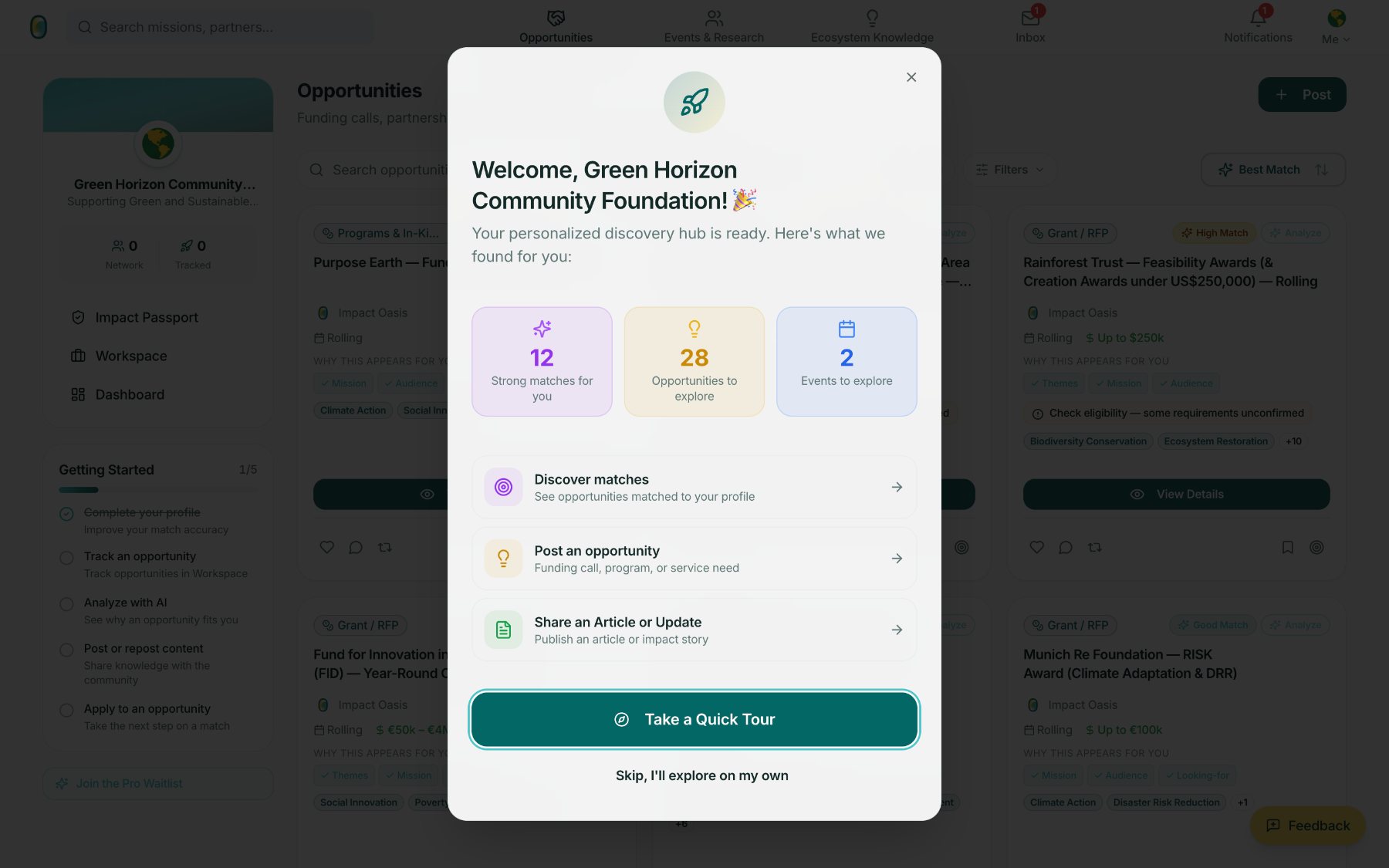
A new organisation arrives to a feed that has already matched work to their profile. Onboarding is a count of what was found – matches, opportunities, events – not an empty state waiting to be filled.
 1
2
3
1
2
3
The welcome dialog opens on the Opportunities feed, so the first thing a new organisation sees behind it is real matched work – not a tutorial.
- 1Matches, opportunities and events are counted before the first click.
- 2A quick tour is offered, never forced. Skipping it leaves the full workspace available.
- 3A five-step Getting Started checklist persists in the sidebar.
 1
2
1
2
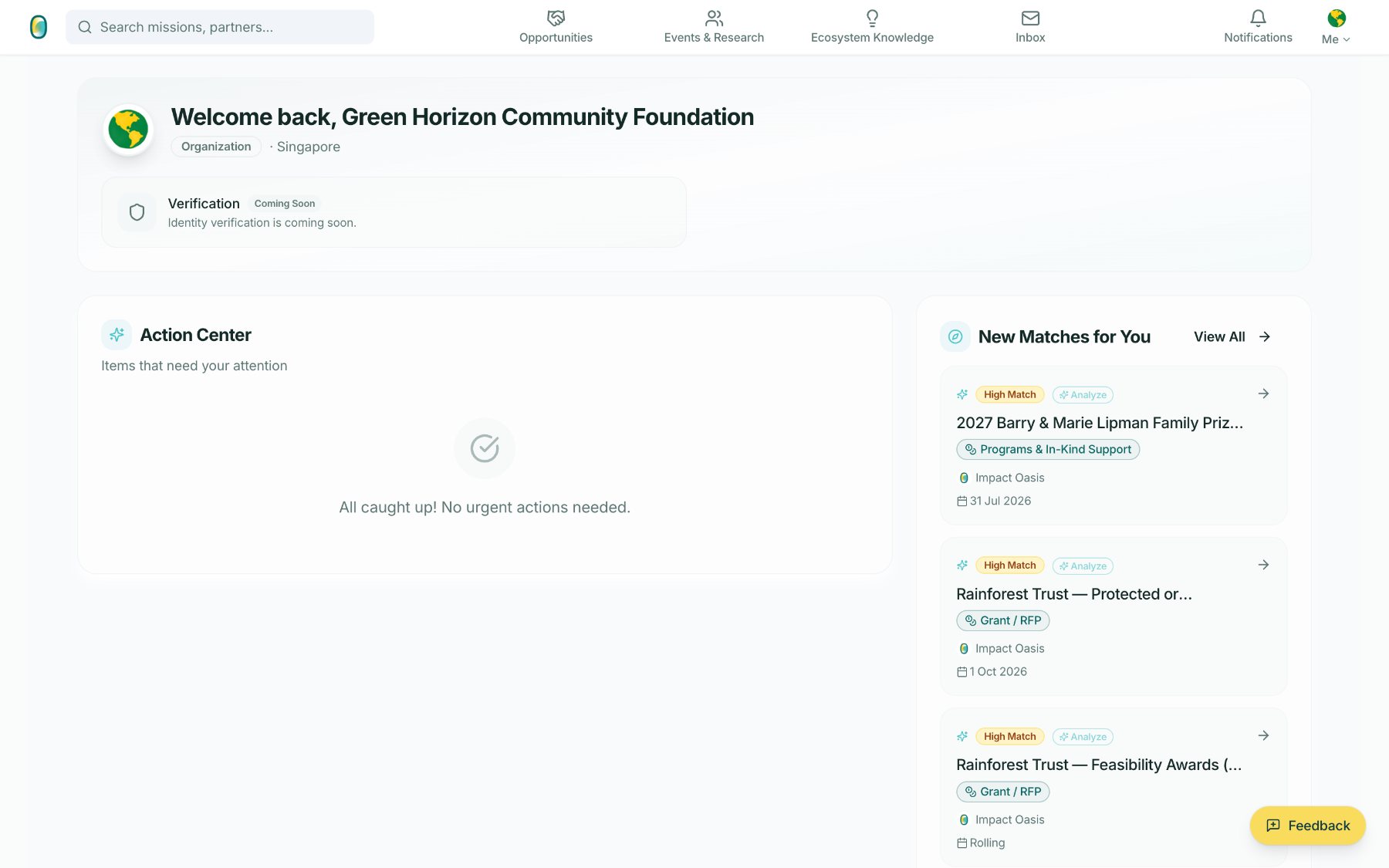
The Dashboard answers two questions: what needs me today, and what is new for me. When nothing is urgent, it says so plainly rather than inventing activity.
- 1Verification is shown honestly as coming soon – one verified state, no tiers.
- 2New Matches for You carries the match label and an entry point into fit analysis.
Opportunities
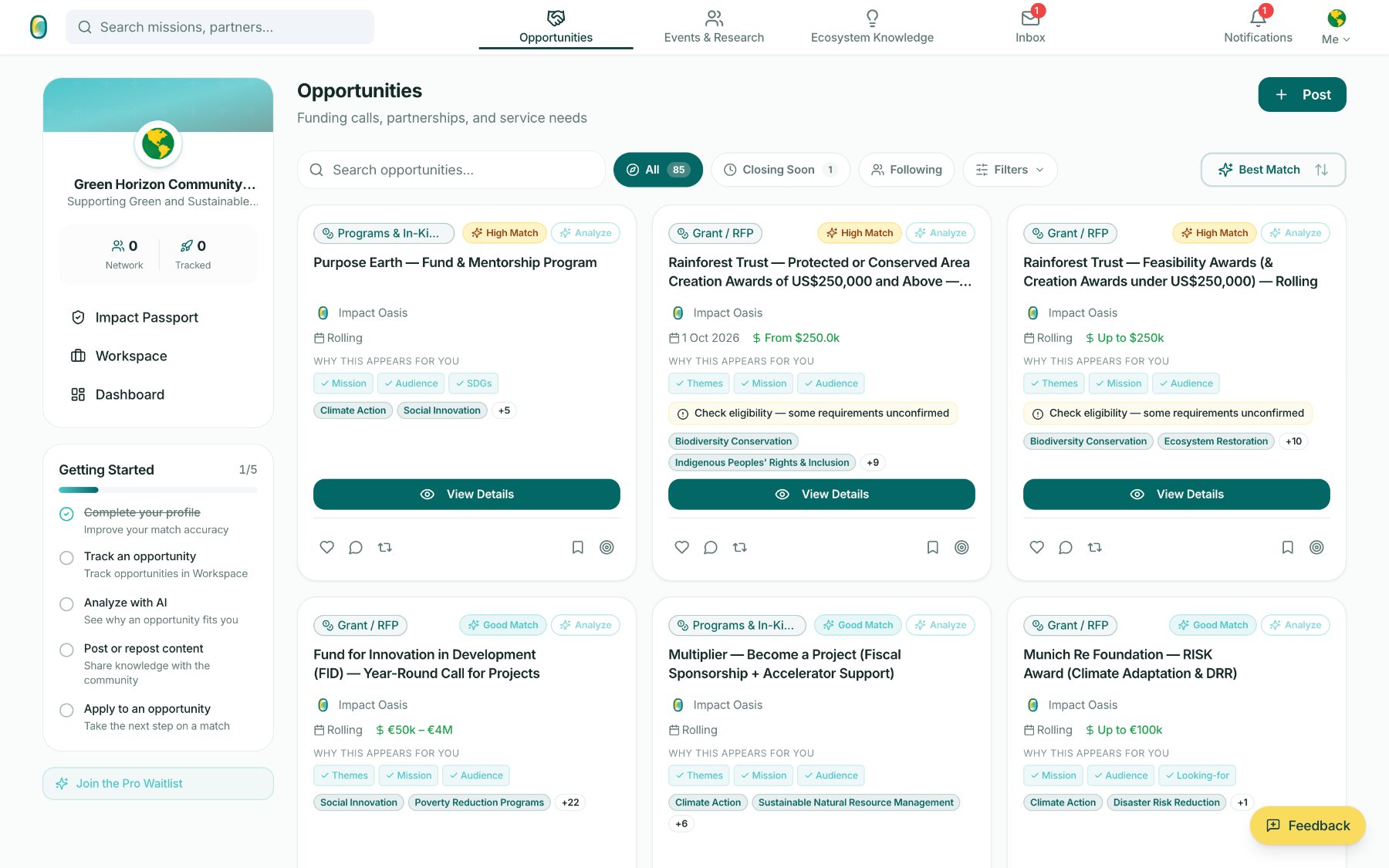
Funding calls, partnerships and service needs in one feed. Every card shows why it appears for you: the deterministic match label, the fields it matched on, and an honest flag when eligibility is unconfirmed.
 1
2
3
1
2
3
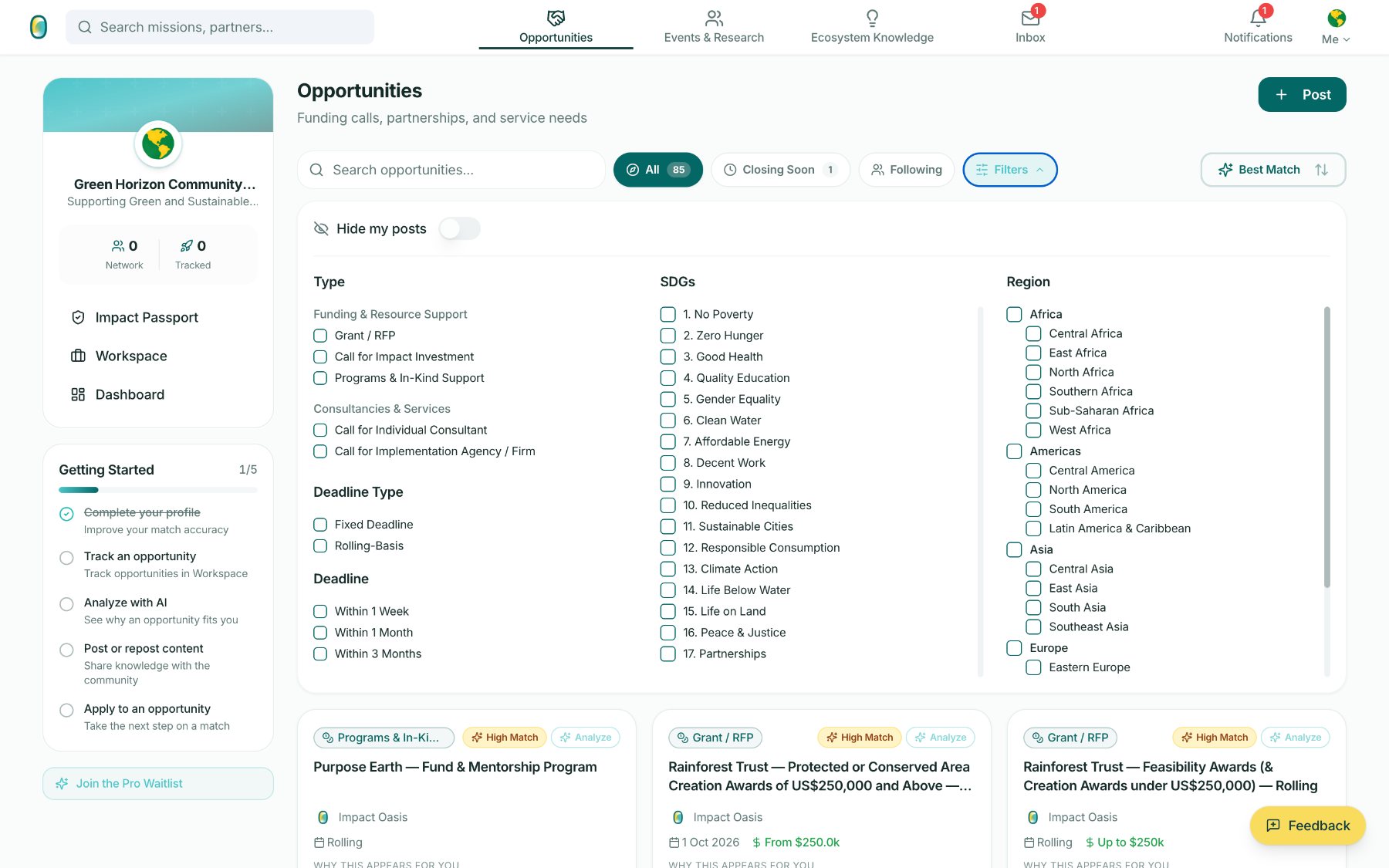
Eighty-five live opportunities at the time of capture, sorted by fit rather than recency. The score behind High Match / Good Match is deterministic; AI adds a written fit analysis on request, never a number of its own.
- 1Best Match is the default sort – the feed leads with fit.
- 2“Why this appears for you” names the matched fields: themes, mission, audience, SDGs.
- 3Unconfirmed requirements are flagged on the card, not buried.
The opportunity detail page
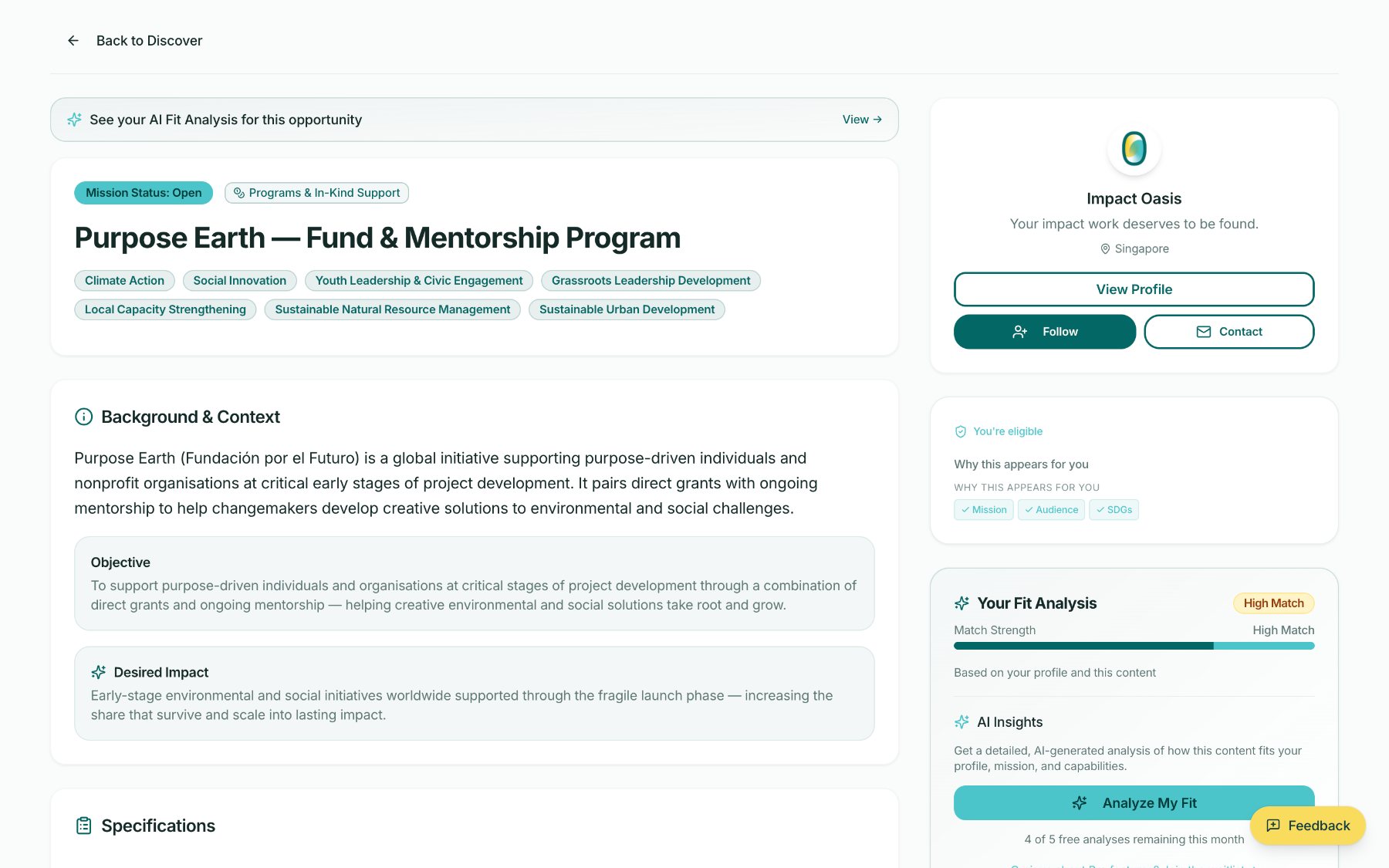
Opening a listing gives the whole picture in one page: what it is, who it is for, what to submit, and – on the right rail – where the organisation stands against it.
 1
2
3
1
2
3
Background, objective and desired impact are set out in the organiser's own terms, with thematic areas as structured tags. The poster stays reachable throughout – View Profile, Follow, Contact.
- 1The fit analysis is offered at the top of the page, not hidden in a menu.
- 2Eligibility is stated plainly, with the matched fields listed beneath it.
- 3Analyze My Fit is metered and honest about it – free analyses are counted.
 1
2
1
2
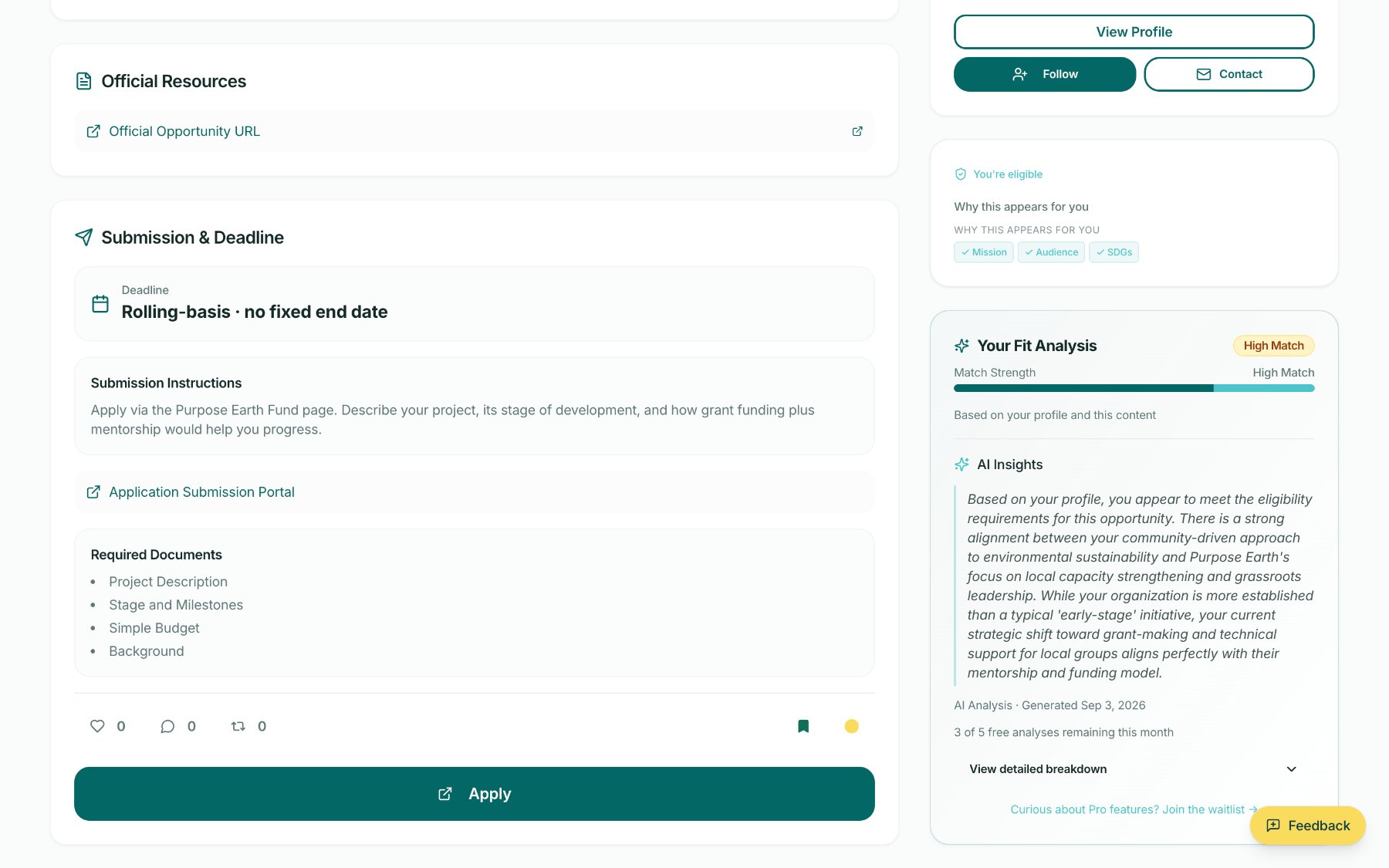
Further down the same page: official resources, deadline shape, submission instructions and required documents – and, once run, the AI fit analysis in prose.
- 1The analysis argues the fit in writing – including where the organisation differs from the call – and never invents a score of its own.
- 2Apply hands off to the organiser's own portal – Impact Oasis does not sit in the middle of the application.
Publishing an opportunity
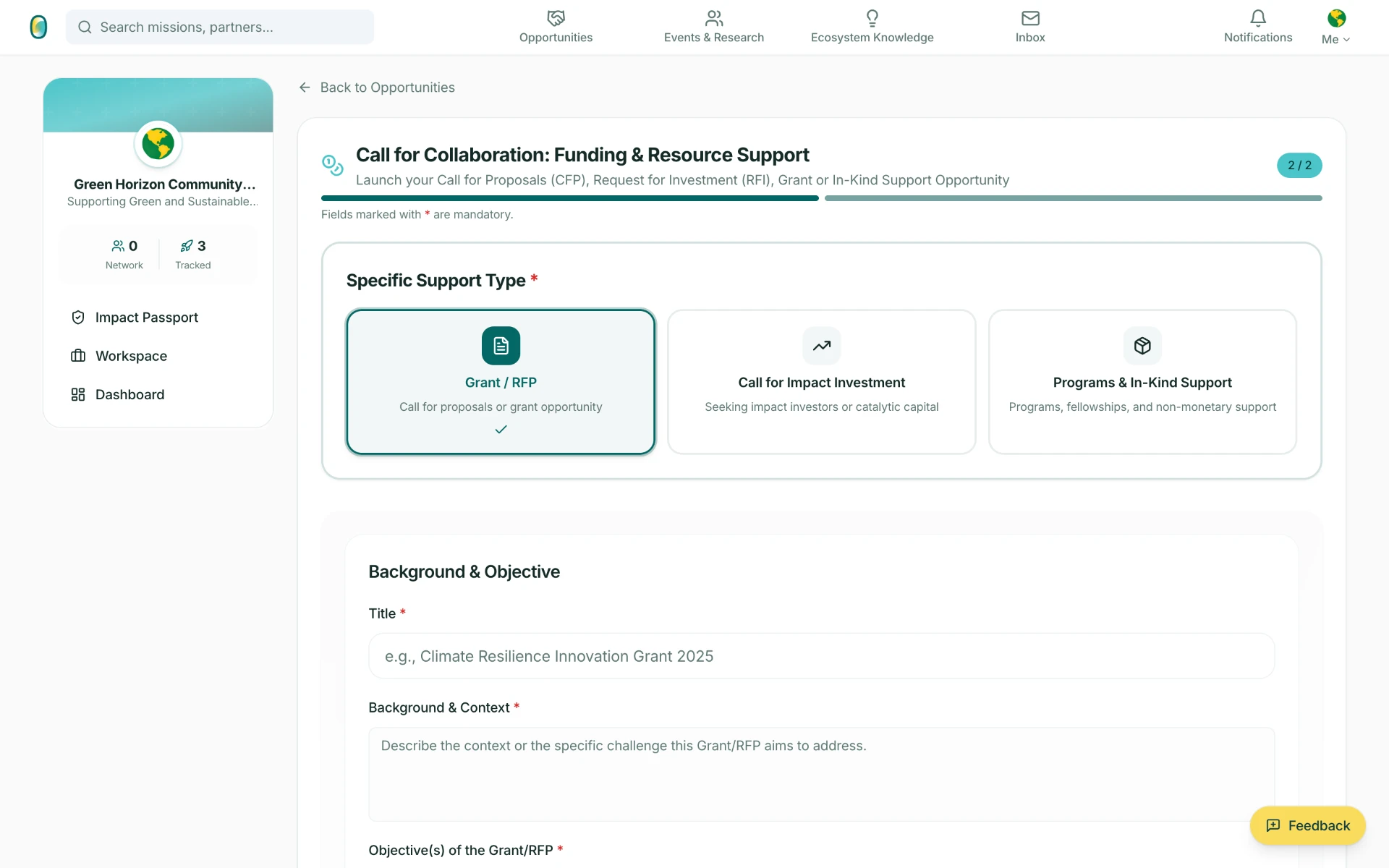
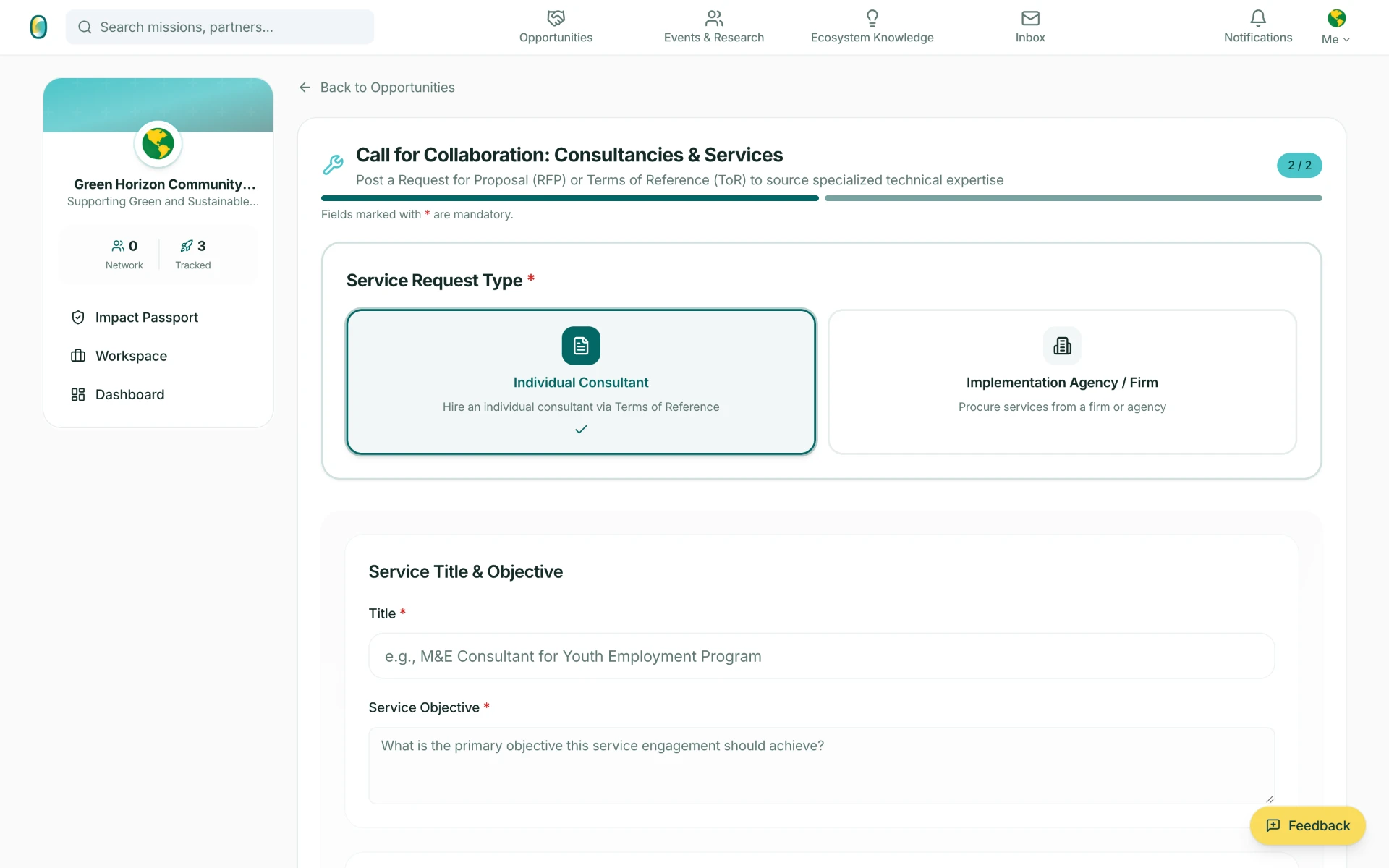
The feed is not a one-way channel. Funders, Enablers and Implementers post their own calls through a two-step form, and the type they pick is what the match logic reads on the other side.
Events & Research
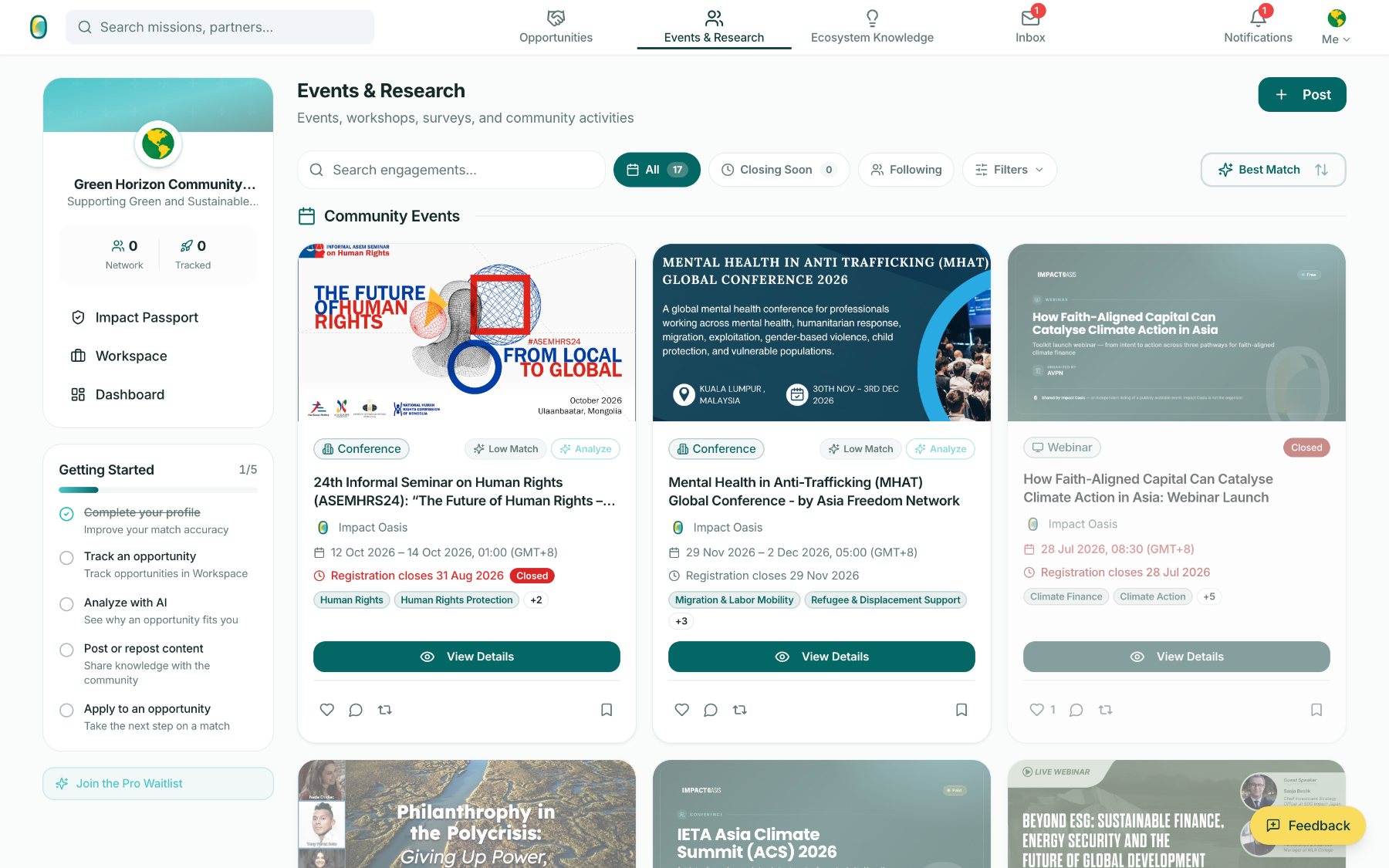
Conferences, webinars, workshops and surveys from across the region – matched with the same logic as funding, because attendance is an opportunity in its own right.
 1
2
3
1
2
3
Seventeen listings at the time of capture, from an ASEM human-rights seminar in Ulaanbaatar to a faith-aligned climate finance webinar – each with its own match quality and registration state.
- 1Low Match is stated as readily as High – the label is information, not marketing.
- 2Registration deadlines and closed states are surfaced on the card.
- 3Listings shared by Impact Oasis are marked as such, with the organiser credited.
 1
2
3
1
2
3
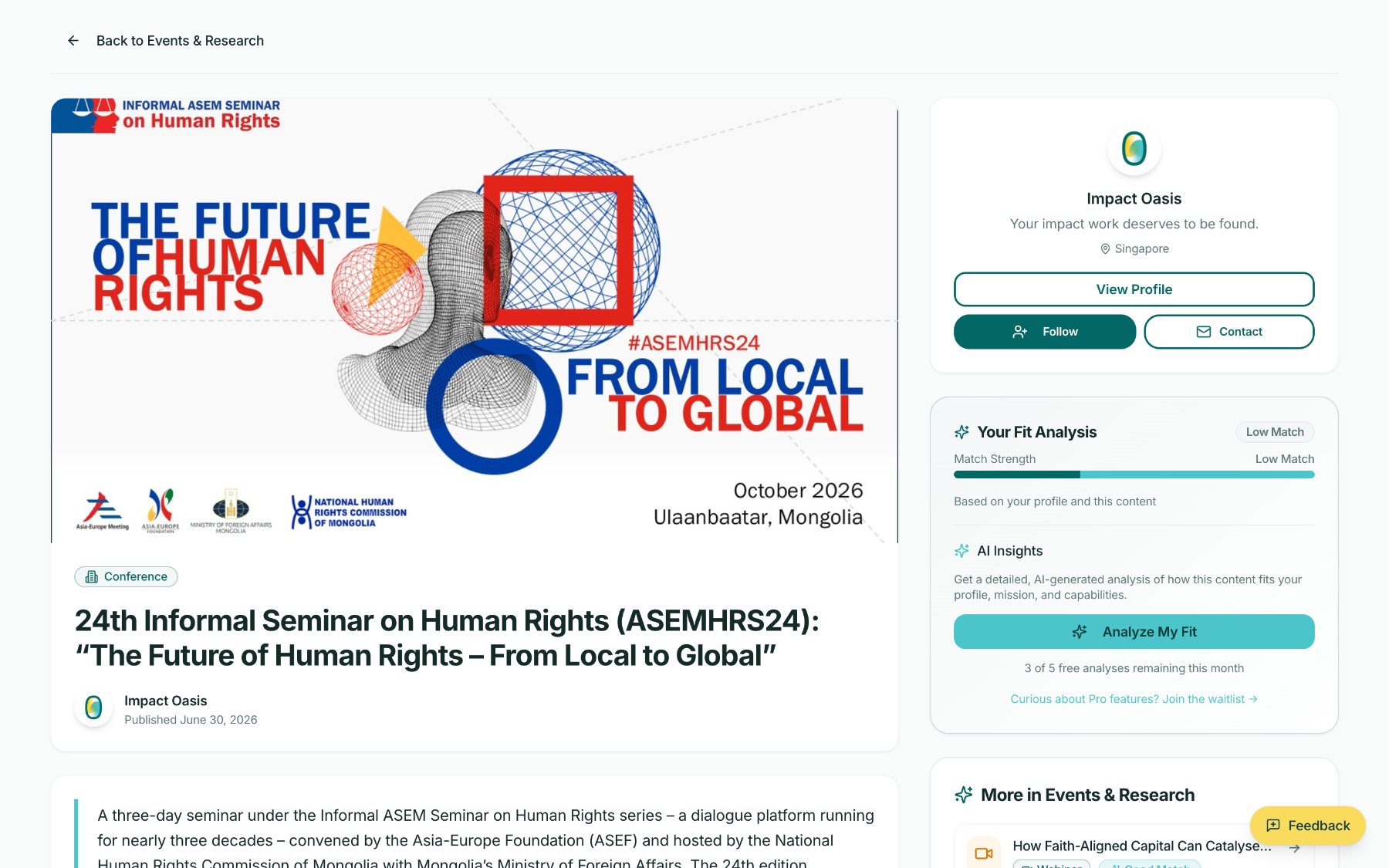
The event detail page keeps the organiser's own artwork at full size, then explains the event in plain prose – a three-day seminar convened by the Asia-Europe Foundation and hosted in Ulaanbaatar.
- 1The same Follow and Contact affordances sit on every detail page.
- 2Low Match is shown with the same weight a High Match would get.
- 3Fit analysis works on events too, not only on funding.
Hosting an event or launching research
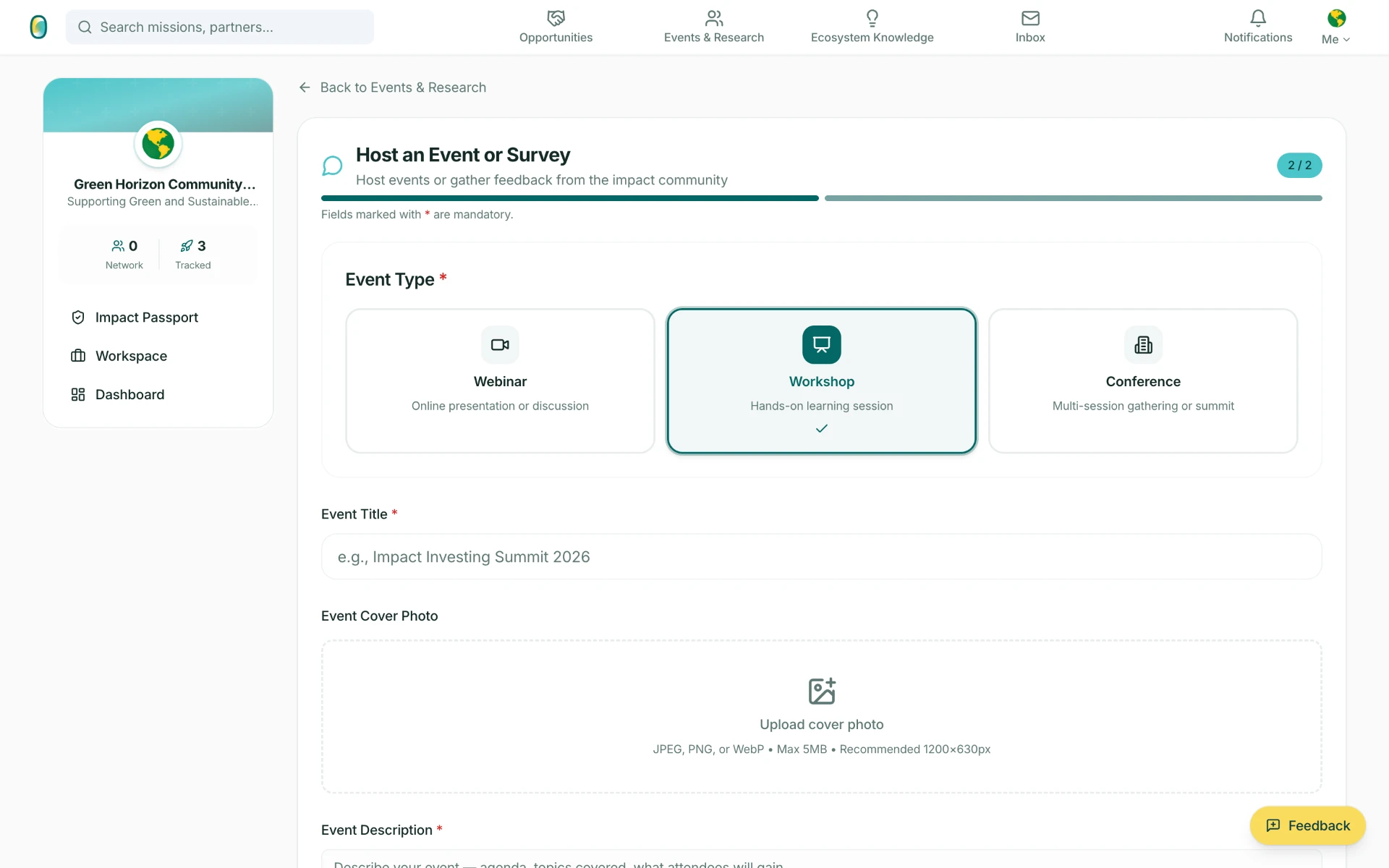
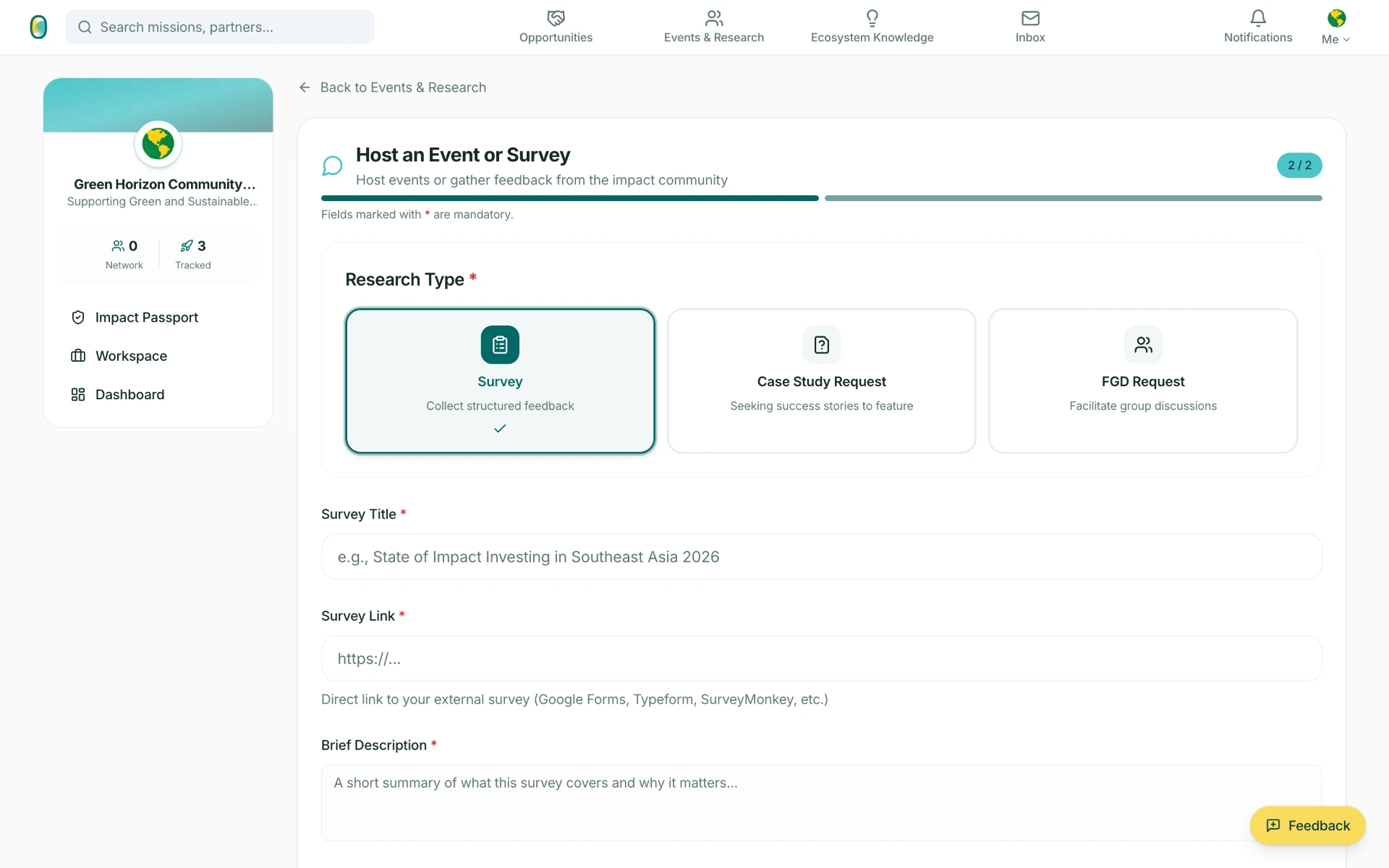
Organisations publish what they convene: a webinar, workshop or conference – or a research request that asks the ecosystem for something back.
Ecosystem Knowledge
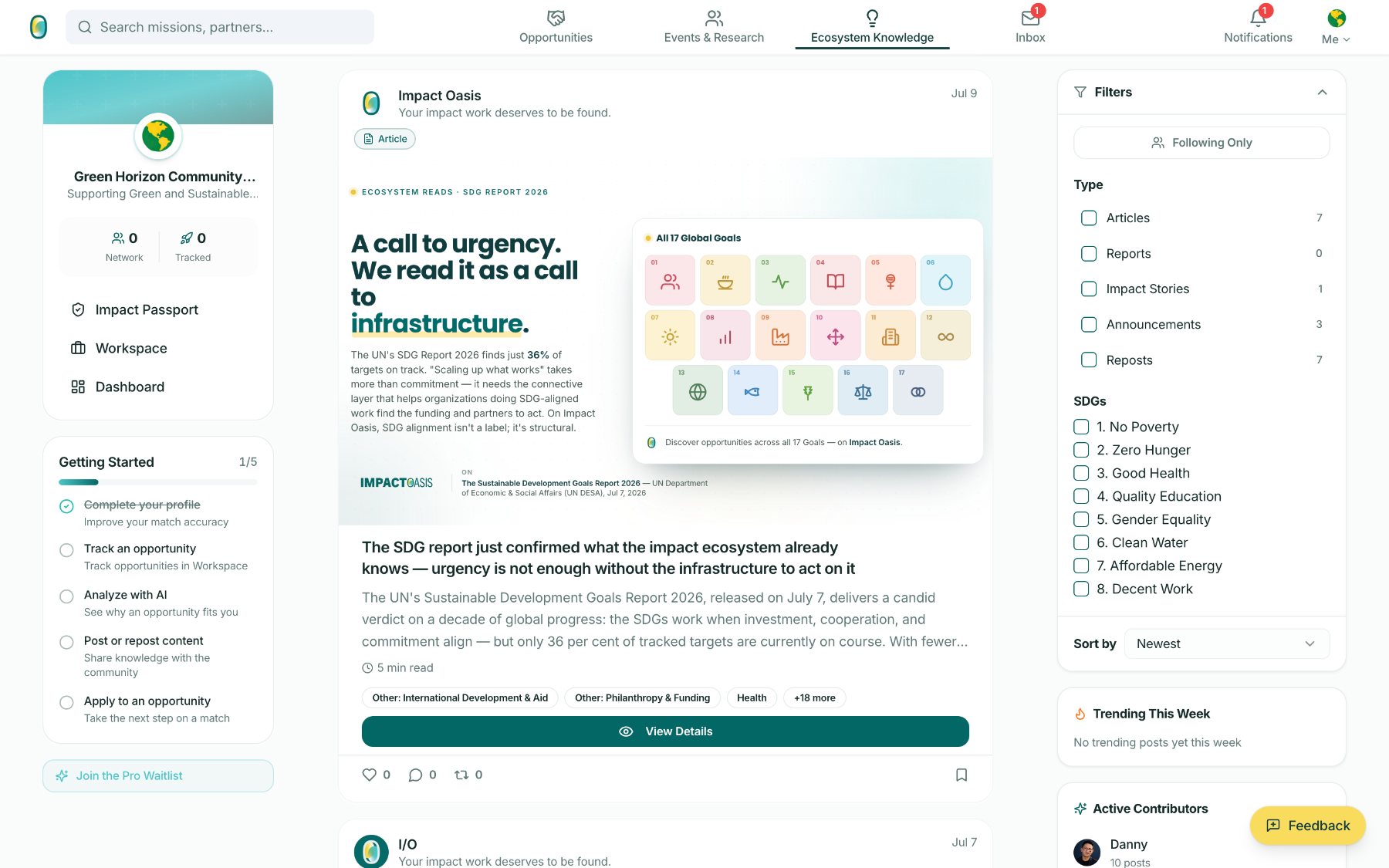
Articles, reports, impact stories and announcements from the organisations doing the work – filterable by type and by Global Goal, so knowledge is discoverable on the same axes as opportunity.
 1
2
3
1
2
3
The feed carries the ecosystem's own reporting. Here, the UN's SDG Report 2026 – 36 per cent of the 139 measurable targets on track or making moderate progress – is framed as a call for the connective layer that helps SDG-aligned organisations find funding and partners to act.
- 1Posts carry their own designed cover – the Global Goals grid, in brand.
- 2Type filters show live counts; SDG filters run the full 1–17.
- 3Trending and Active Contributors keep the network visible, honestly empty when it is.
 1
2
3
1
2
3
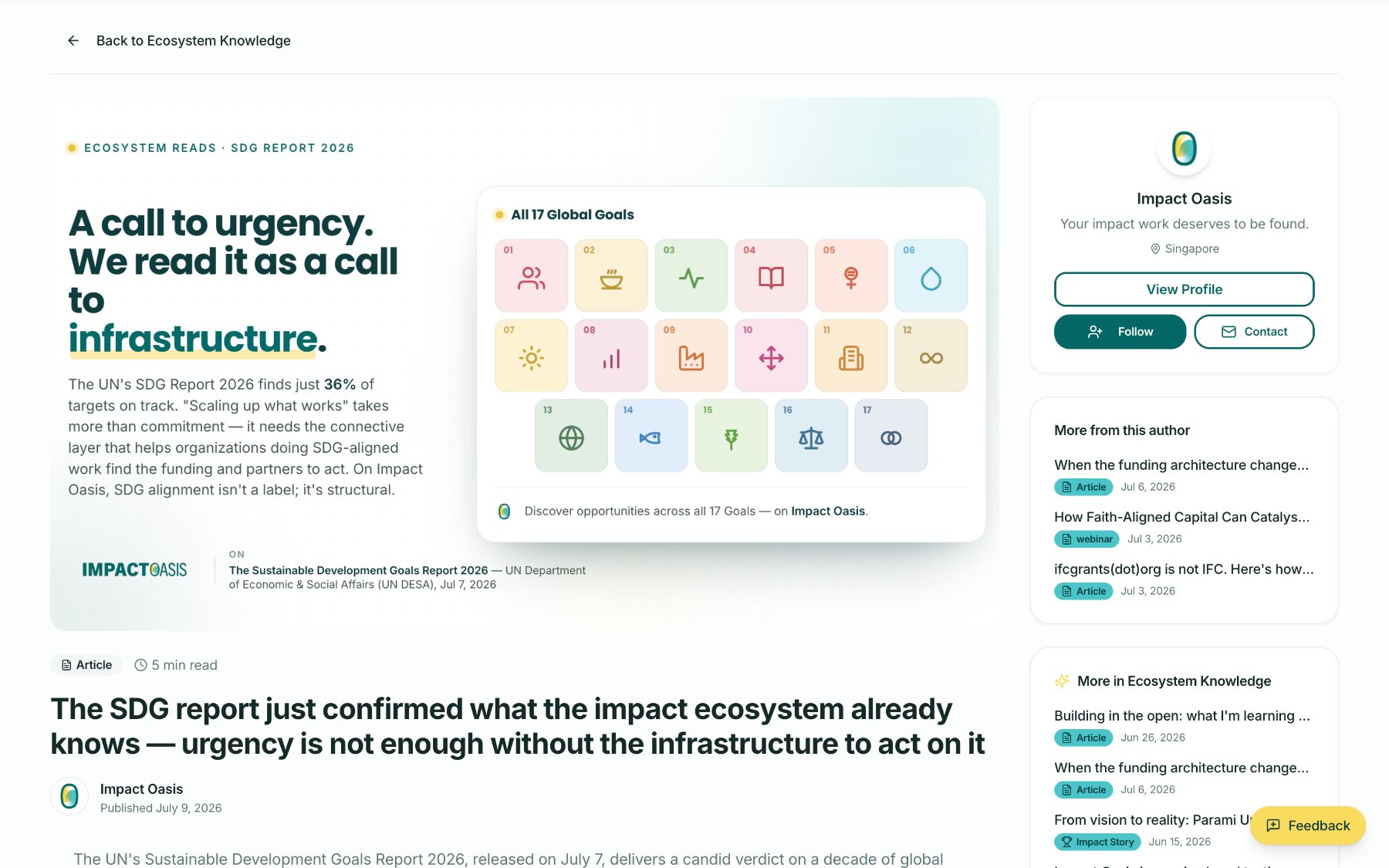
Reading a piece keeps the author beside it. The cover art, the source it responds to, the read time and the byline are all part of the page – knowledge is attributable, and its author is one click from a conversation.
- 1The original source is credited under the cover – UN DESA, July 2026.
- 2The author card carries View Profile, Follow and Contact.
- 3More from this author and more in Ecosystem Knowledge keep the thread going.
Publishing to Ecosystem Knowledge
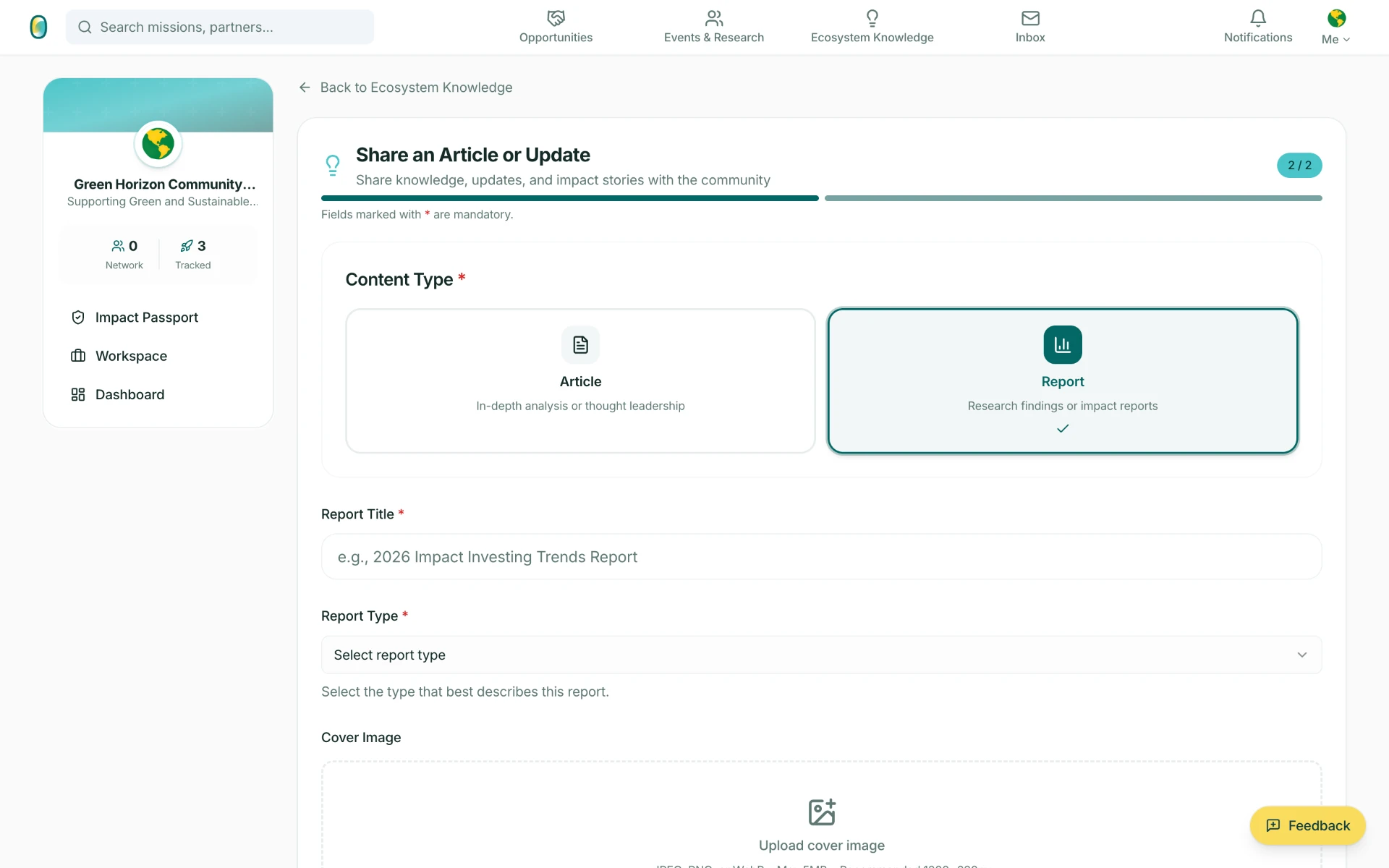
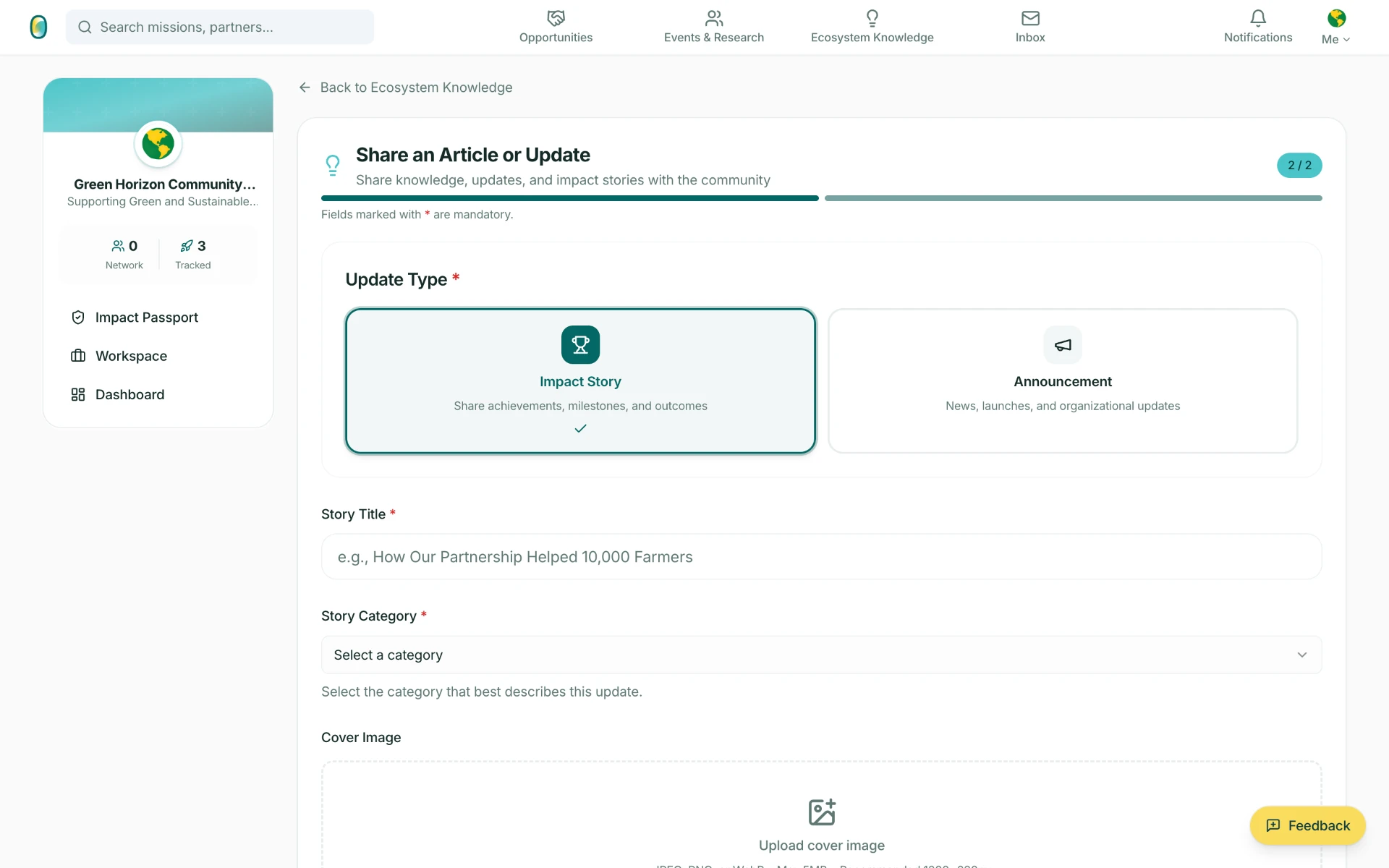
Organisations and individual practitioners write into the same library – analysis, evidence, outcomes and news, each typed so the feed can file it.
Impact Classification
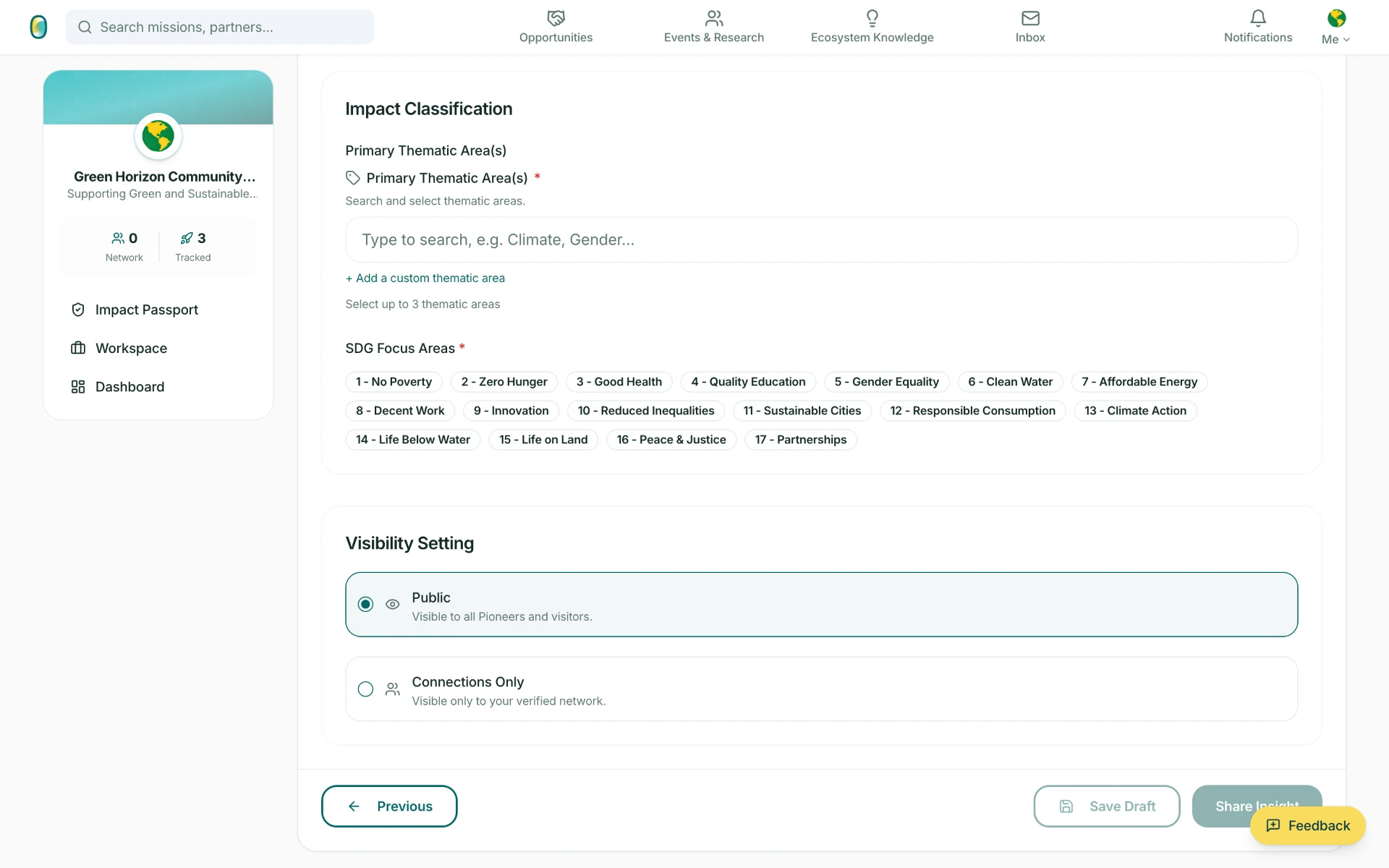
Opportunity, event, research request or knowledge piece – every post ends on the same step. Thematic areas and SDG Focus Areas are what make it findable, and visibility is the author's choice, not a default.
 1
2
3
1
2
3
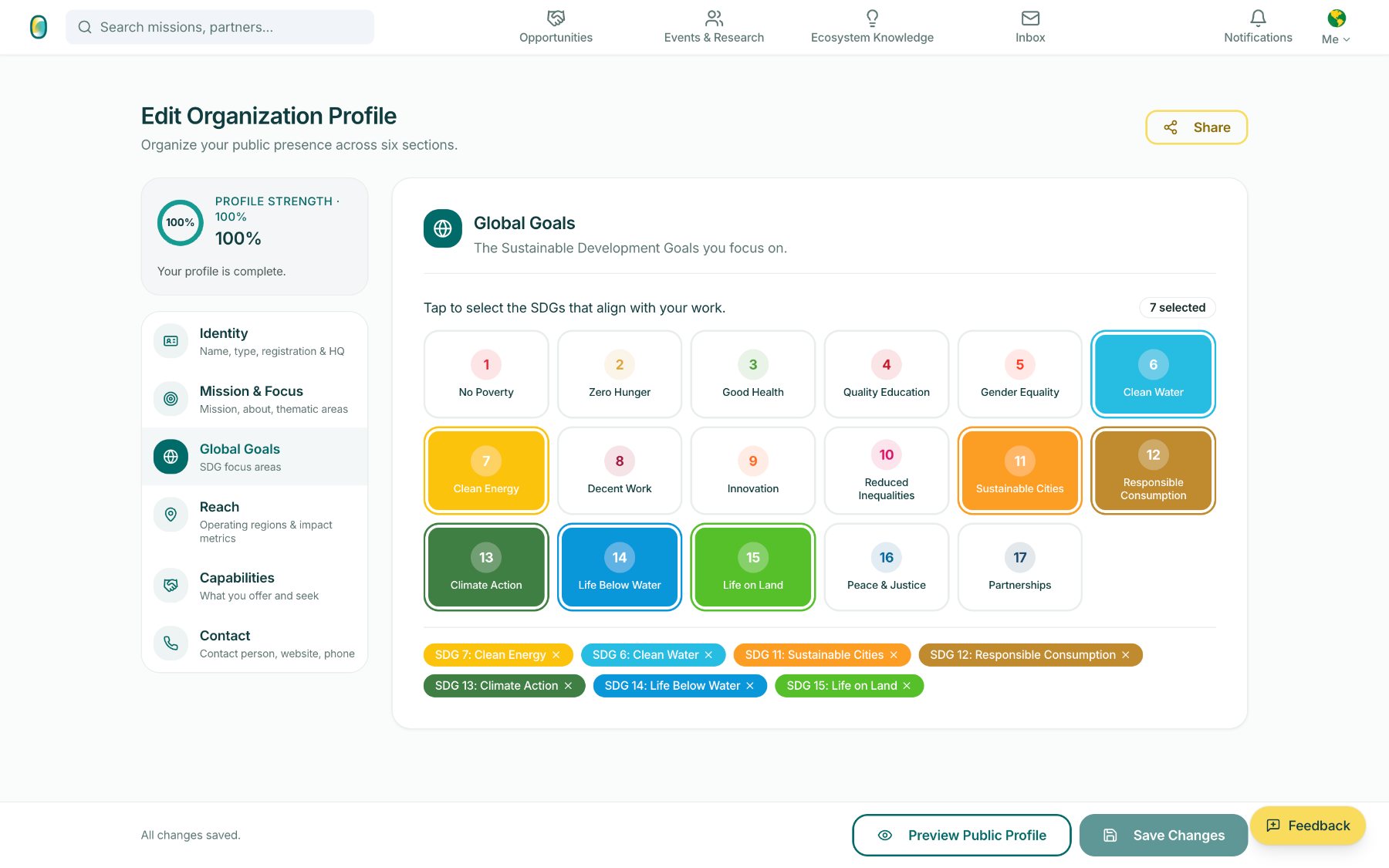
Classification is structured, not prose a machine has to guess at: up to three primary thematic areas and the SDGs the work speaks to. It is the same vocabulary an organisation used on its own profile, which is why matching can be deterministic.
- 1Up to three thematic areas, searchable – with a custom area when the list misses it.
- 2SDG Focus Areas run the full 1–17, and are what the feed filters and matches on.
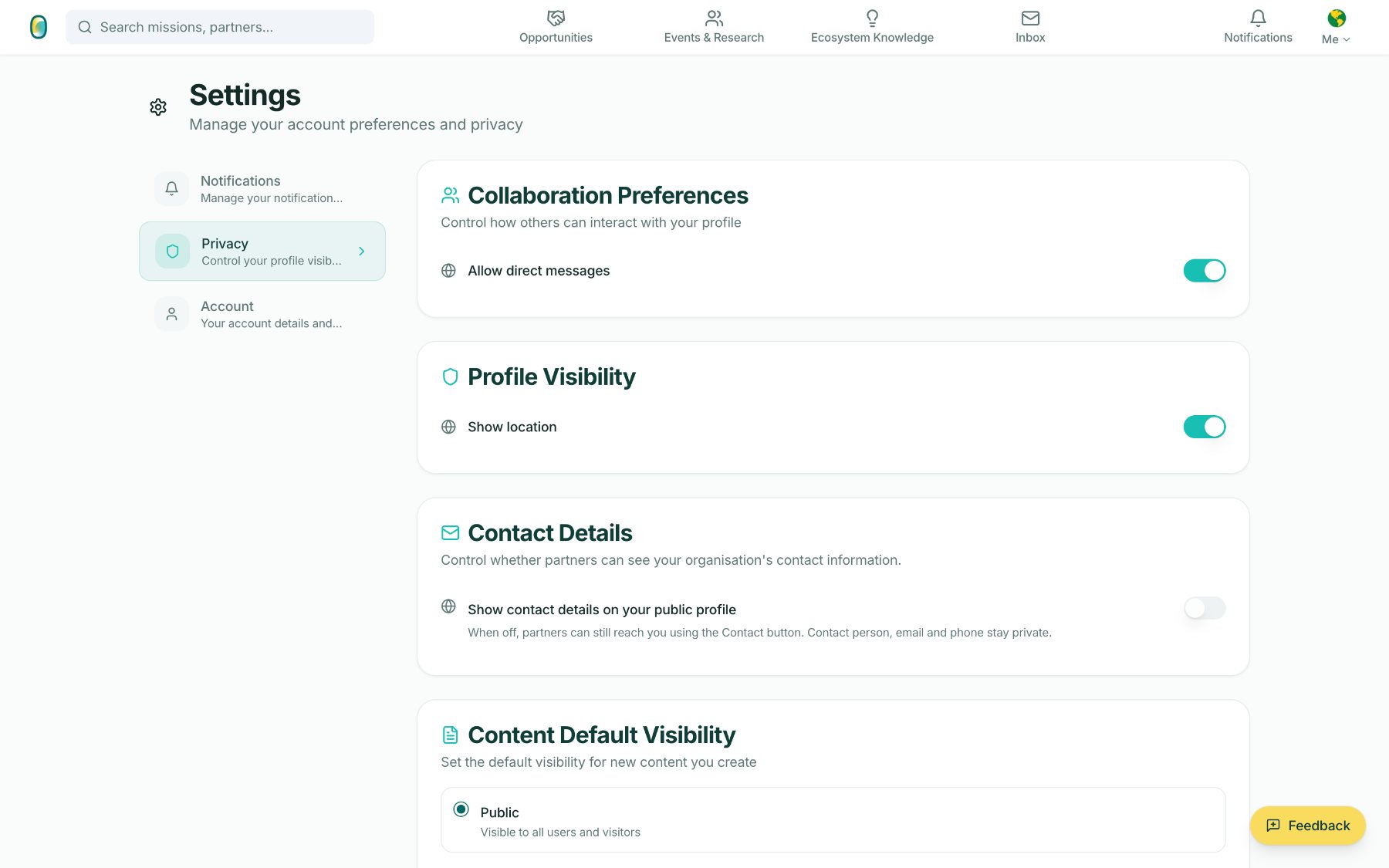
- 3Visibility is set per post: Public, or Connections Only – visible to your verified network.
My Workspace
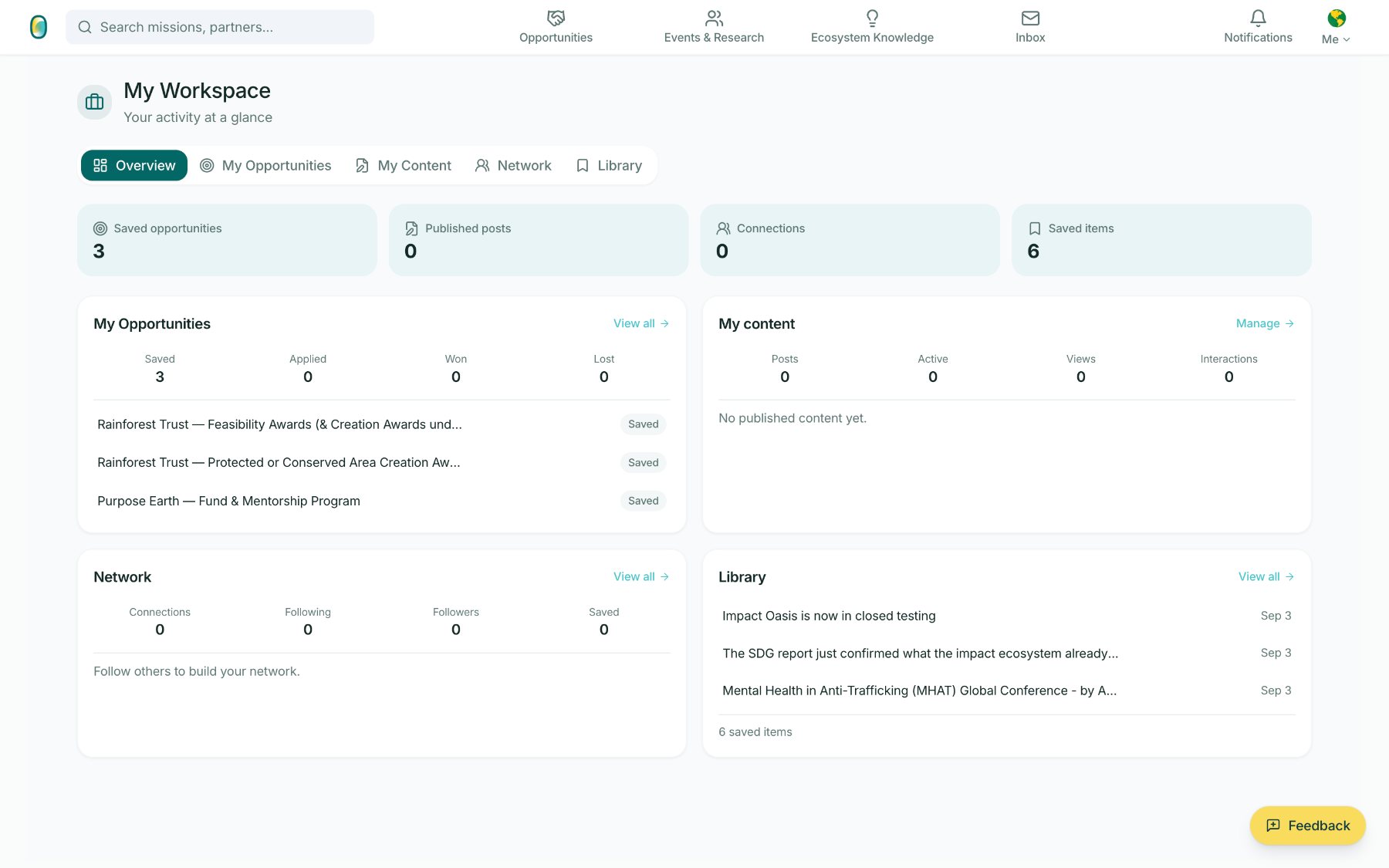
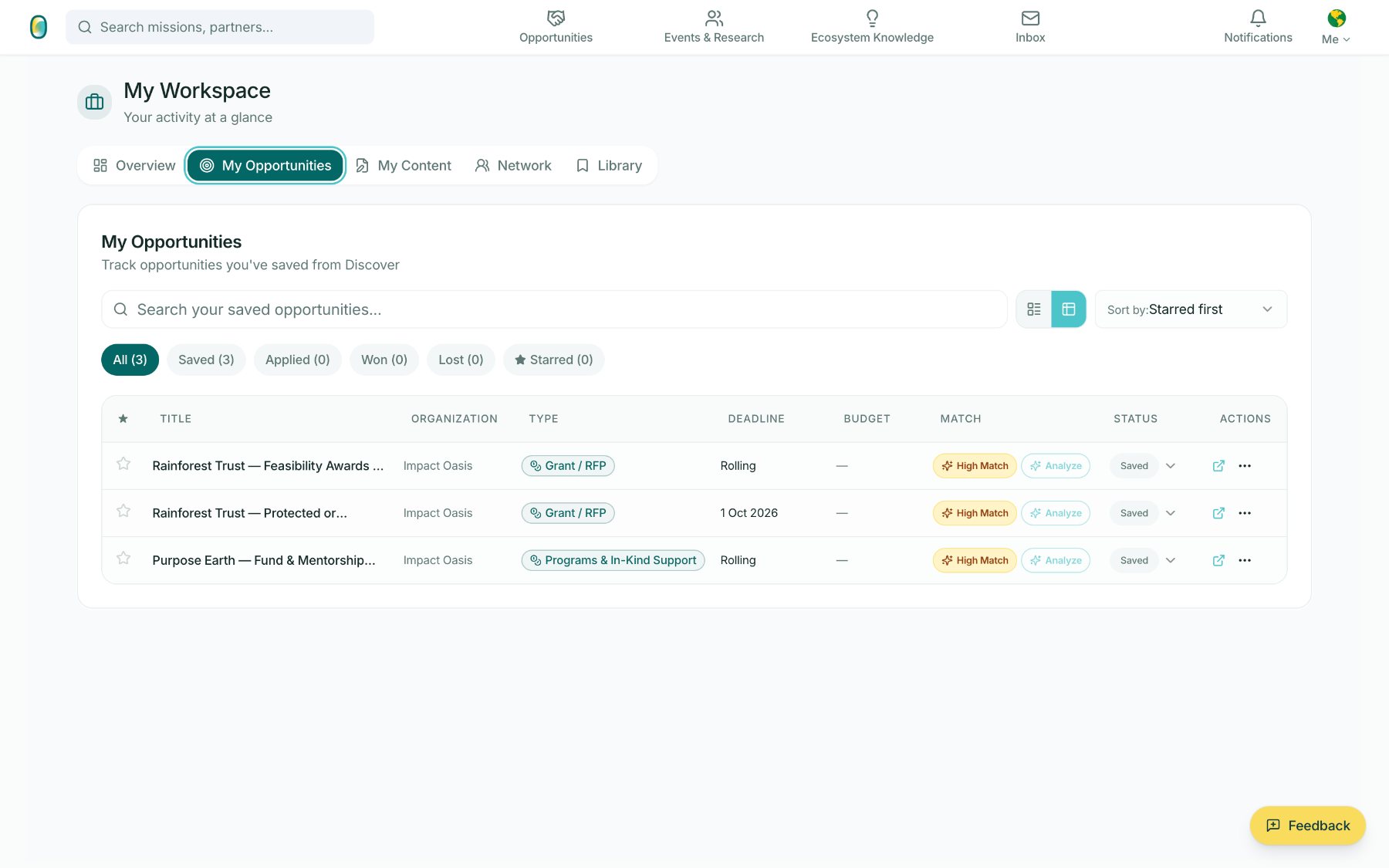
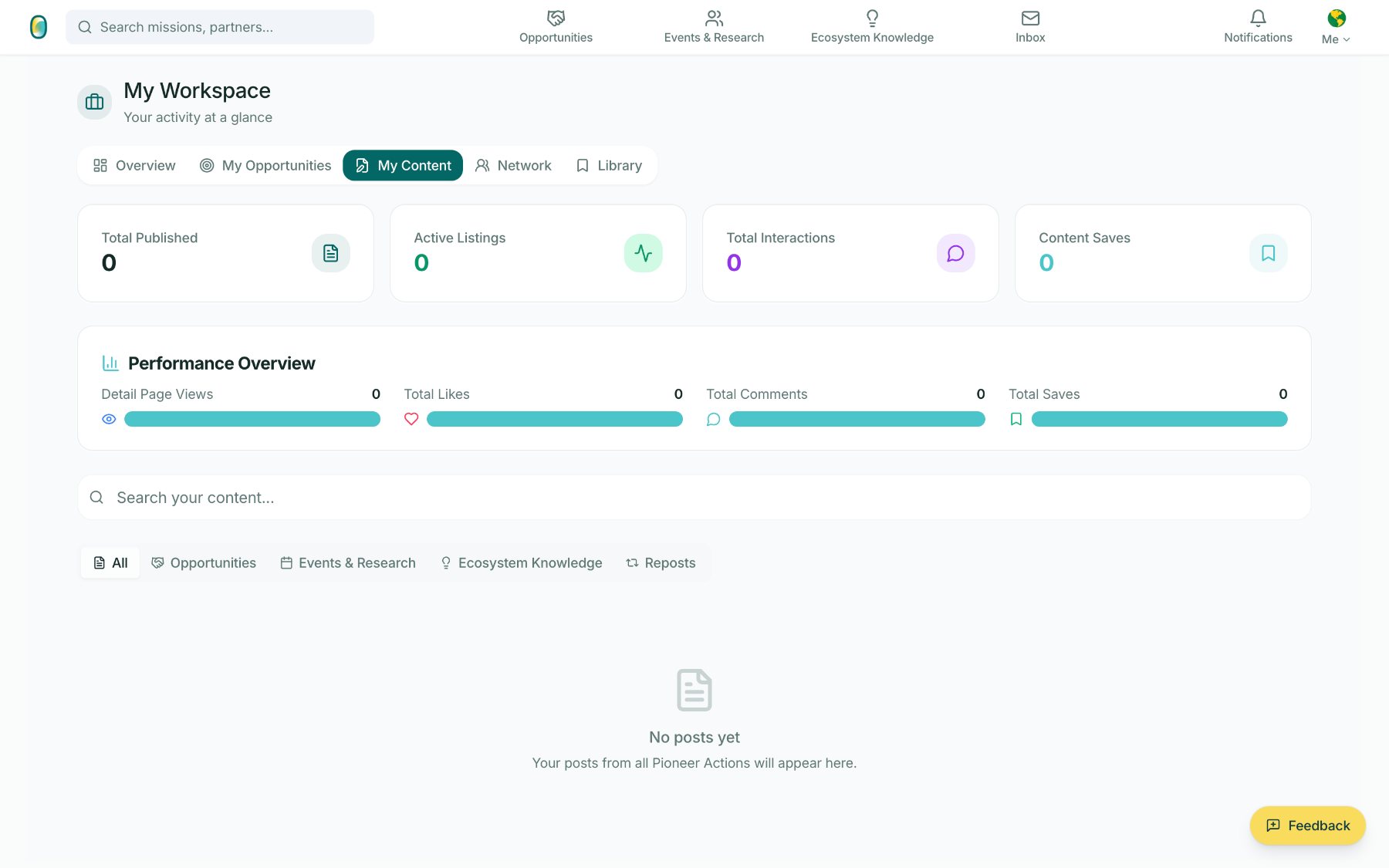
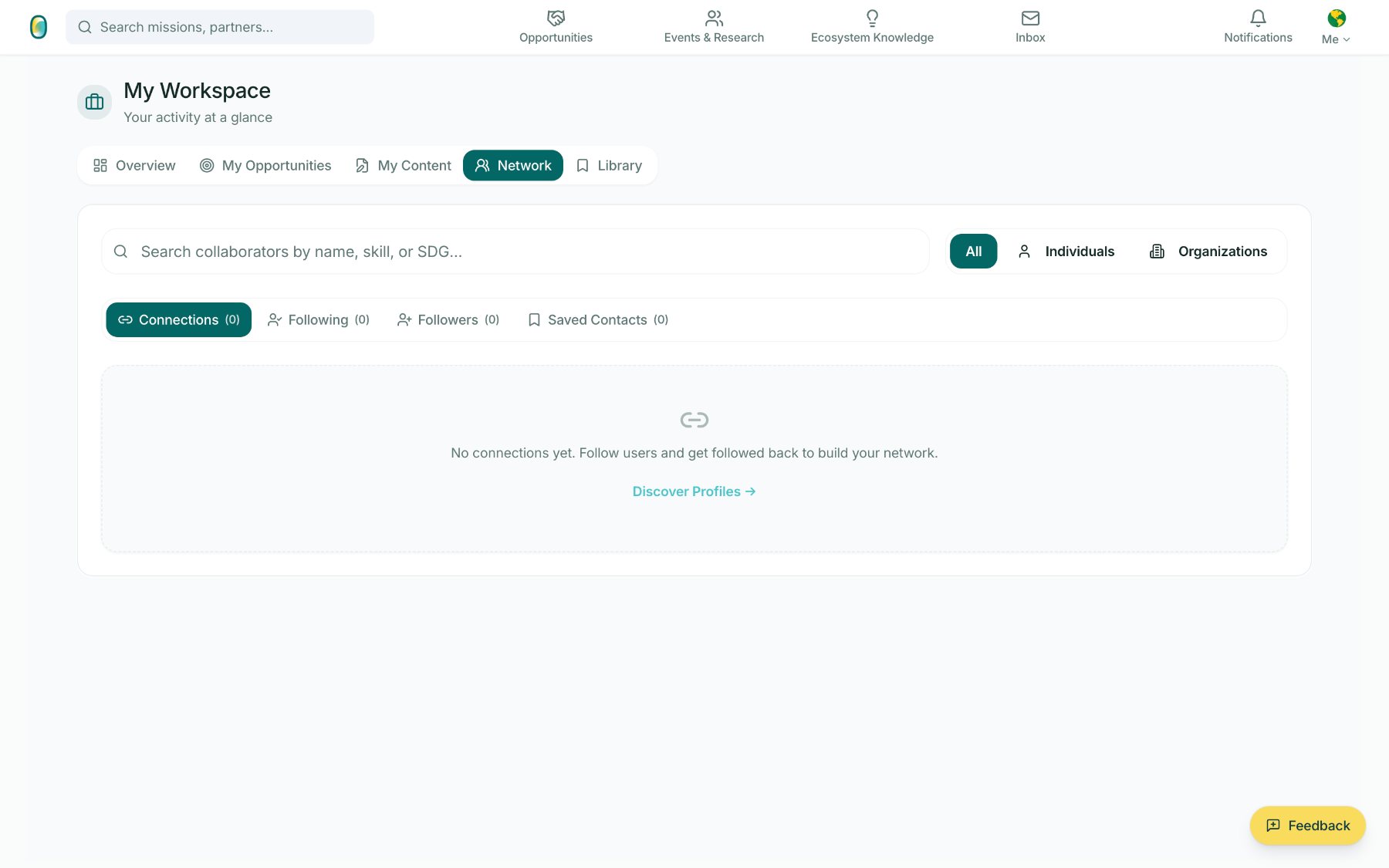
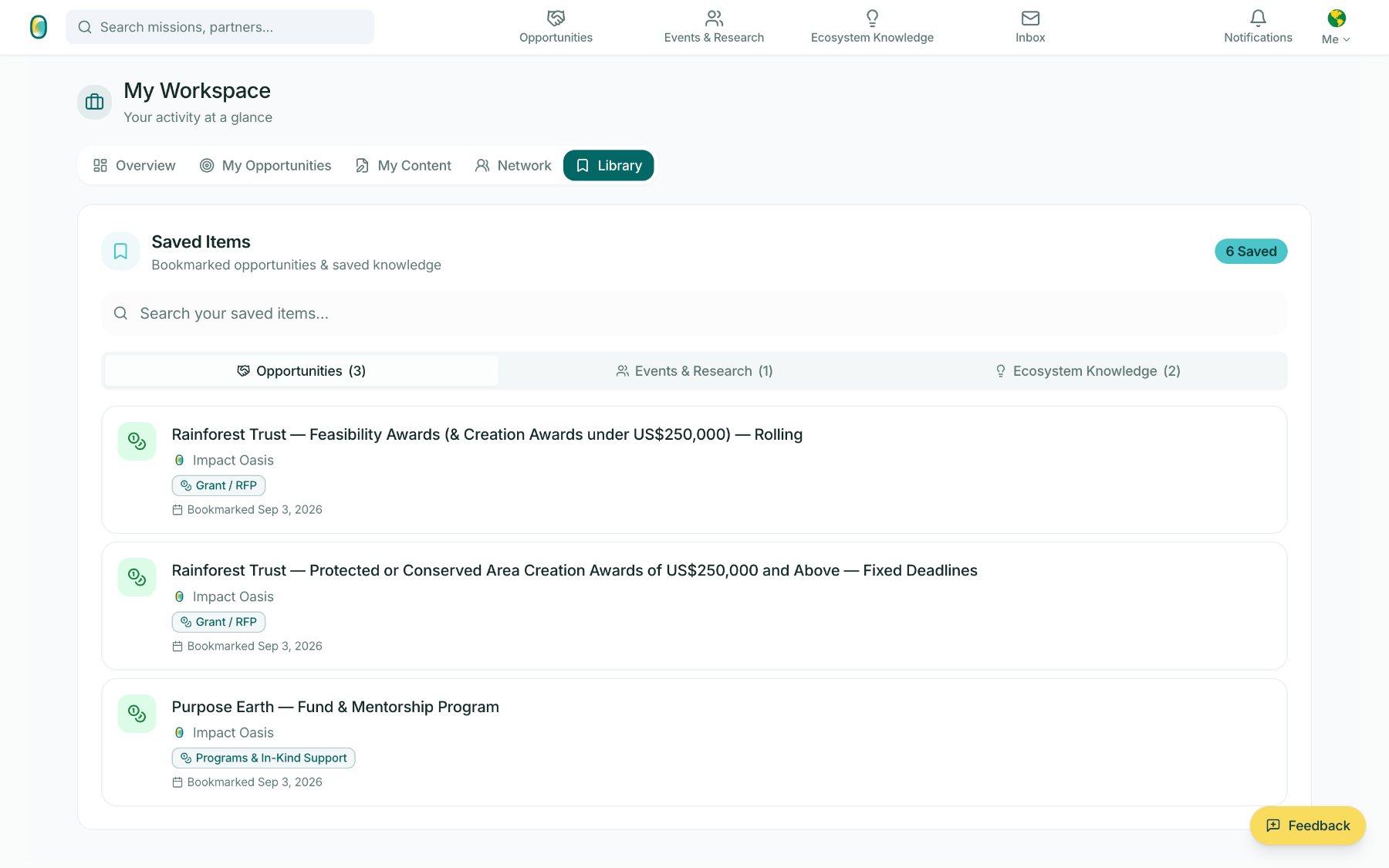
Five tabs for everything an organisation is pursuing: an overview, the opportunities they track, the content they publish, the people they are connected to, and the items they saved.
 1
2
3
1
2
3
The overview is a single honest read of activity: three saved opportunities, no published posts yet, no connections yet, six saved items. Zeroes are shown as zeroes.
- 1Four counters set the frame before any detail.
- 2Saved / Applied / Won / Lost tracks the state of each pursuit.
- 3The Library keeps saved knowledge next to saved funding.
Inbox & Notifications
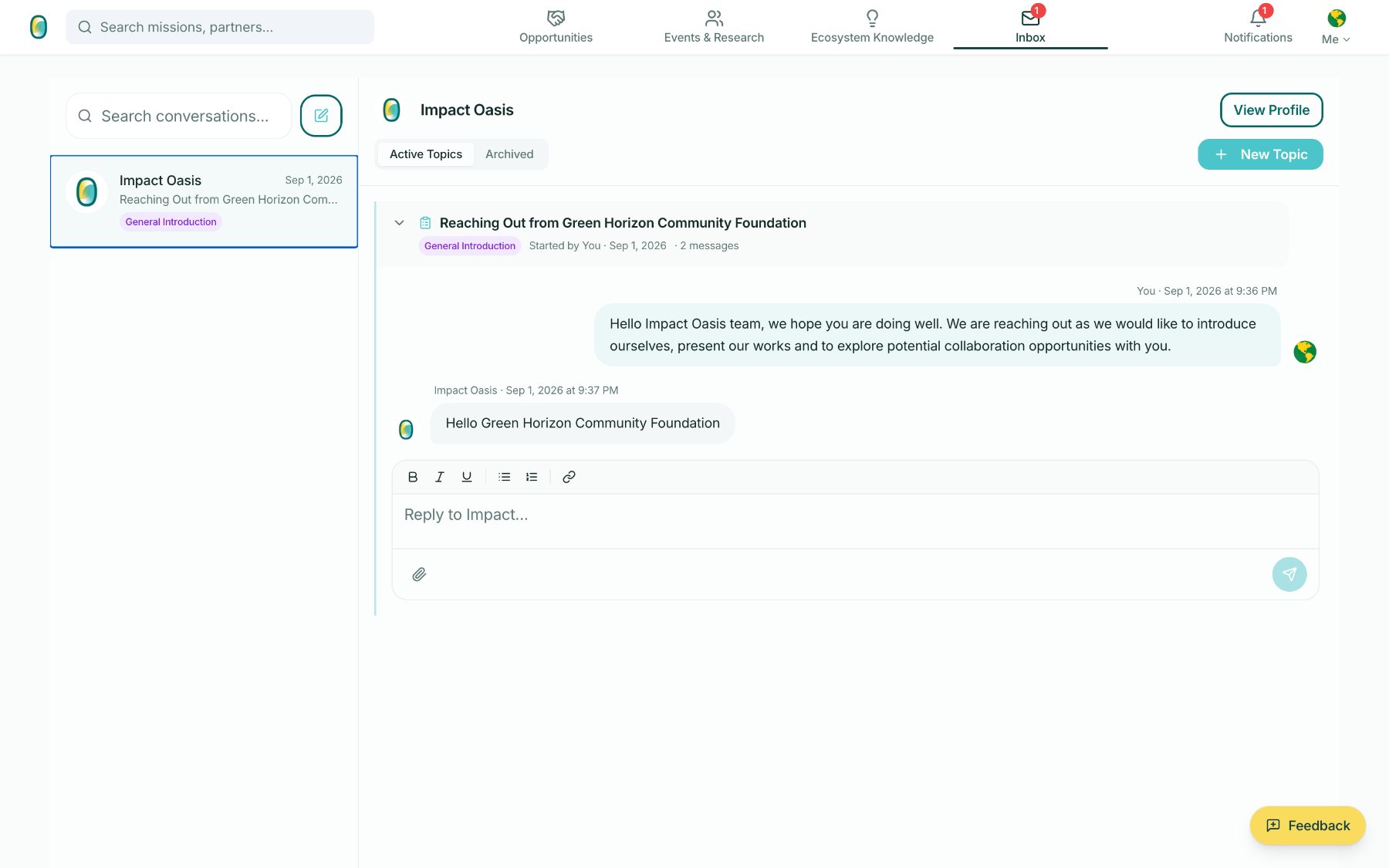
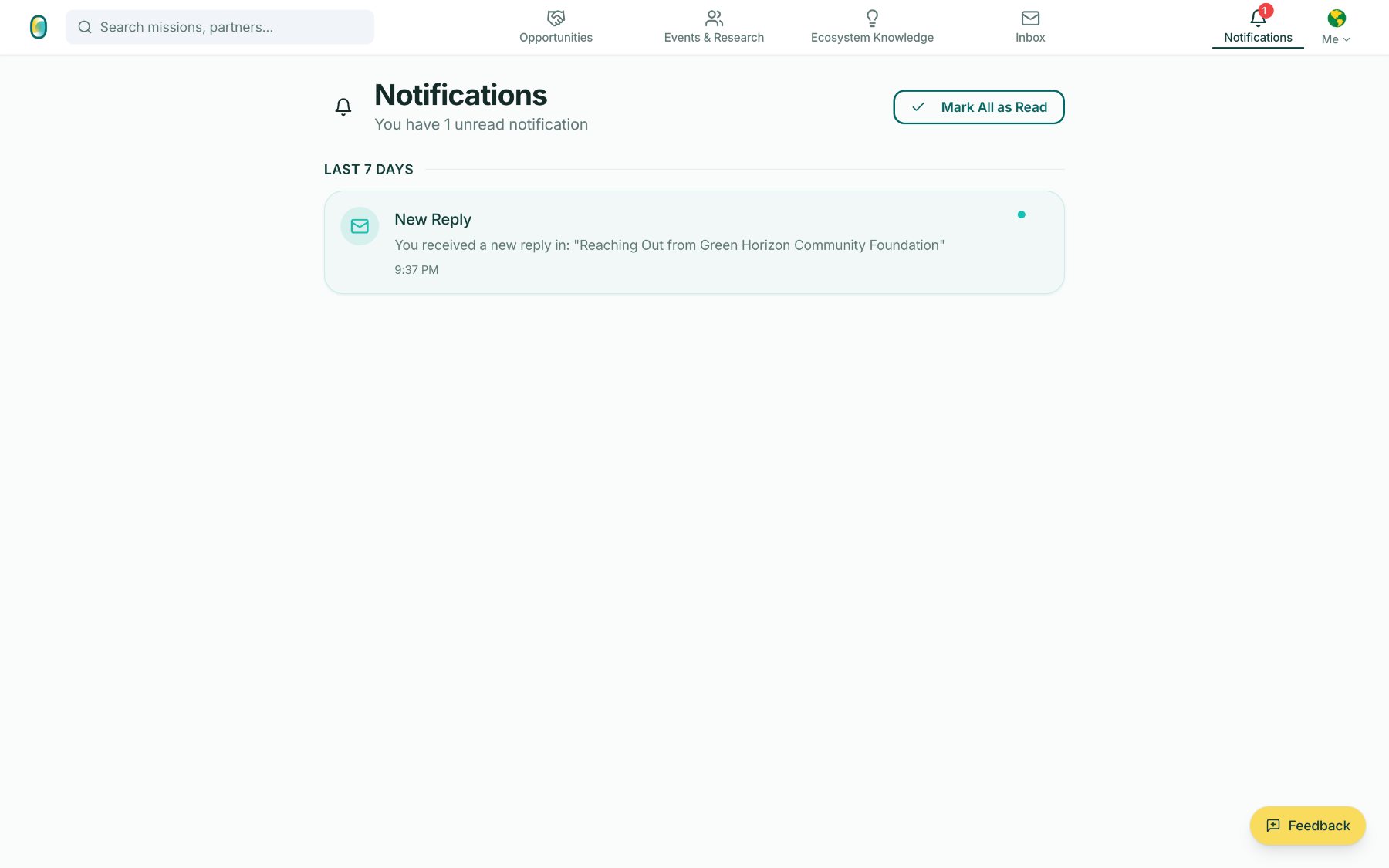
Discovery only matters if the conversation can start. Messaging is organised into topics rather than one endless thread, so an introduction and a specific proposal stay separable.
 1
2
1
2
A conversation between two organisations, filed under a labelled topic – General Introduction – with a rich-text reply box and attachments.
- 1Topics carry a label, a starter, a date and a message count.
- 2New Topic keeps a second conversation from burying the first.
Organisation Profile
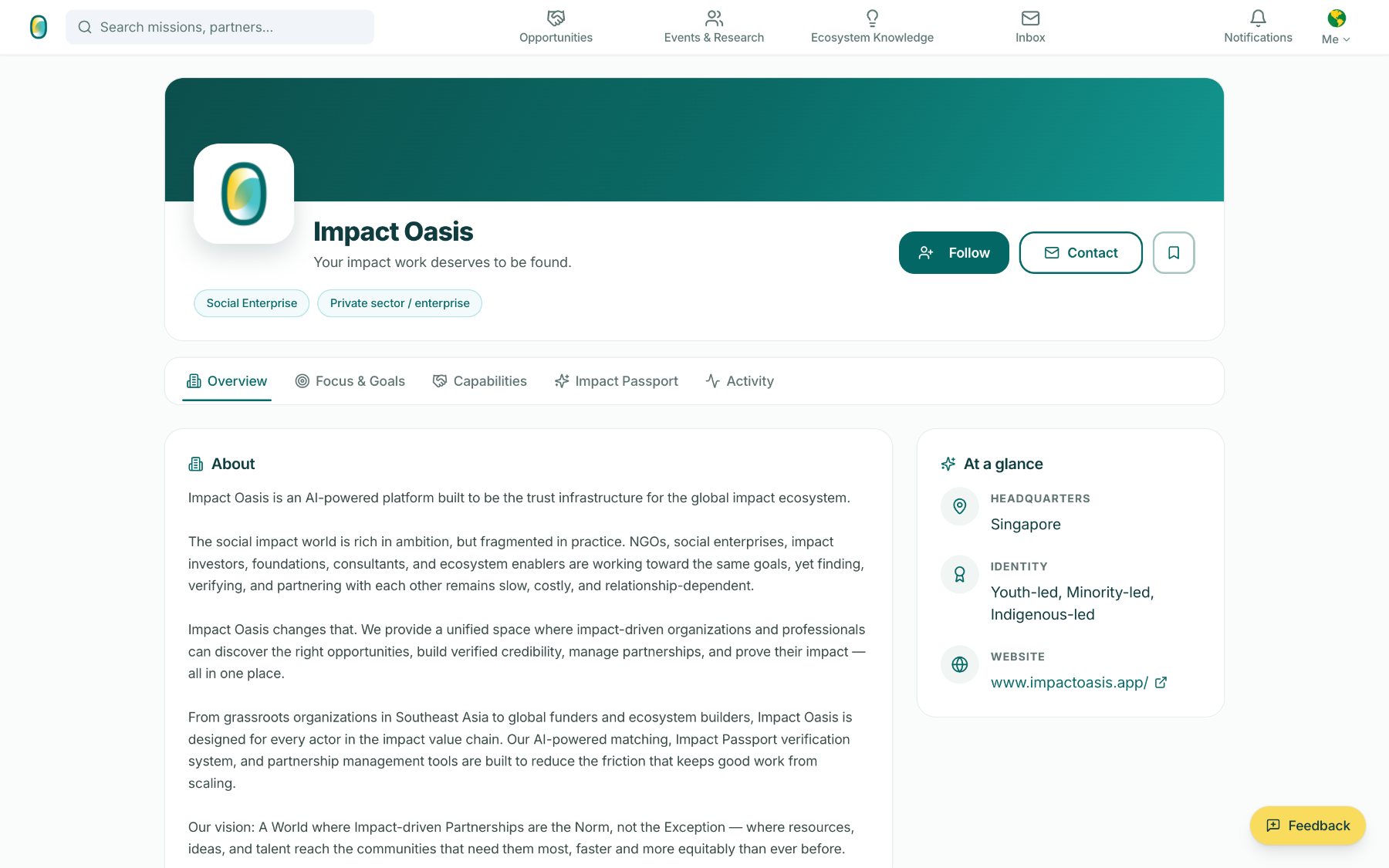
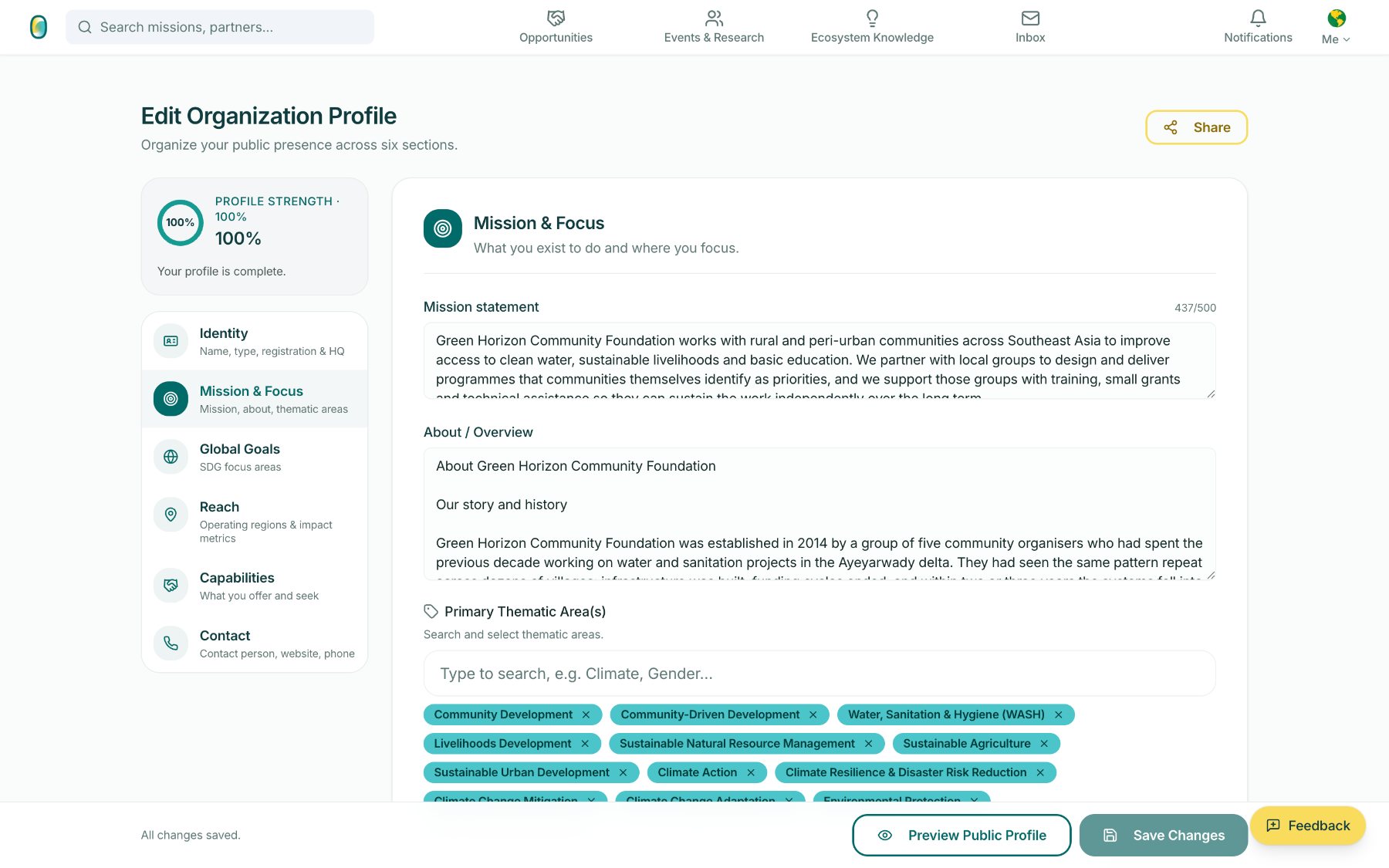
What discovery surfaces is the public profile – and from there, a direct conversation. Behind it, the profile is what the match logic reads, not a static listing. Six sections – Identity, Mission & Focus, Global Goals, Reach, Capabilities, Contact – feed the match logic directly, which is why profile strength is shown as a number the organisation can move.
 1
2
3
1
2
3
The public profile is what a funder or partner actually reads: who the organisation is, what it focuses on, what it can offer, and where it operates from.
- 1Follow, Contact and Save sit at the top – discovery leads somewhere.
- 2Five tabs: Overview, Focus & Goals, Capabilities, Impact Passport, Activity.
- 3At a glance holds headquarters, identity attributes and website.
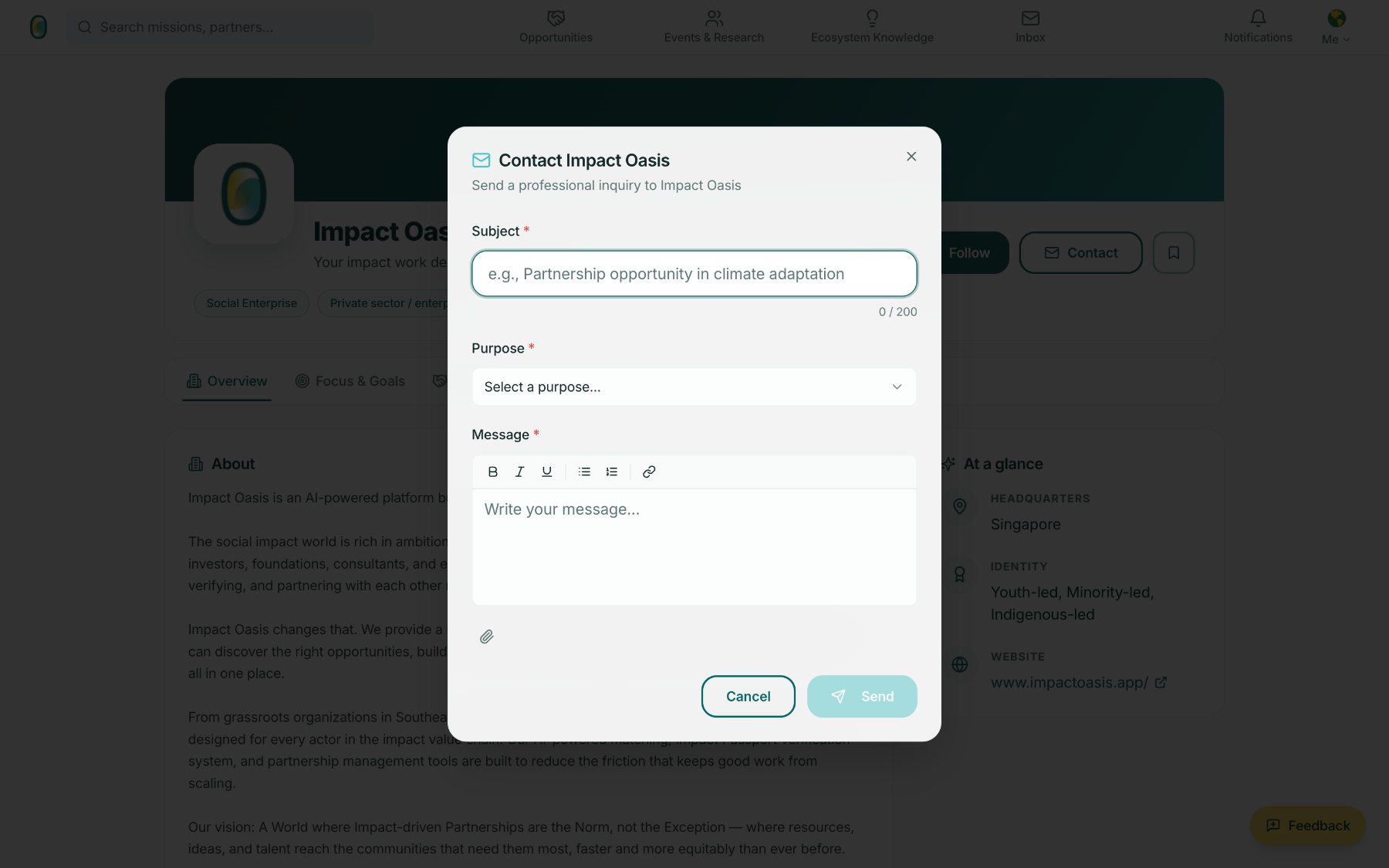
Contact is a structured inquiry, not a cold DM: a subject, a stated purpose, and a formatted message with attachments. It arrives in the recipient's Inbox as a labelled topic.
Asking senders to name their purpose is what makes the first message worth opening – and it is why an organisation can keep contact details private and still be reachable.
How the profile is built
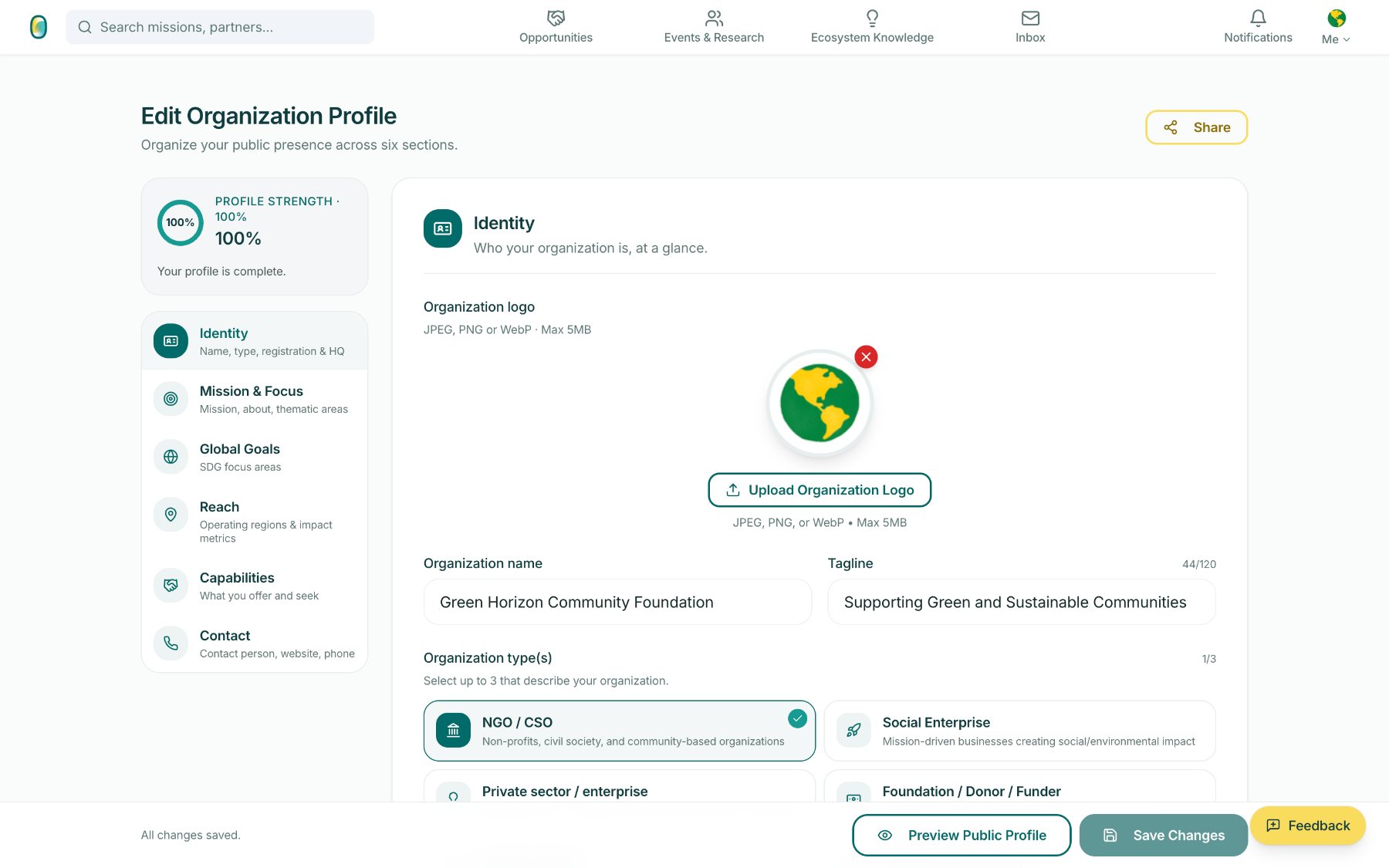
Six sections, edited in place, with profile strength shown as a number the organisation can move.
 1
2
3
1
2
3
Identity is deliberately short: logo, name, tagline, and up to three organisation types. An organisation can be an NGO and a social enterprise at once, and the match logic respects that.
- 1Profile strength is live, and it is what improves match accuracy.
- 2Segment types are chosen, up to three – no forced single identity.
- 3Changes save as you go, with a public preview one click away.
On the roadmap
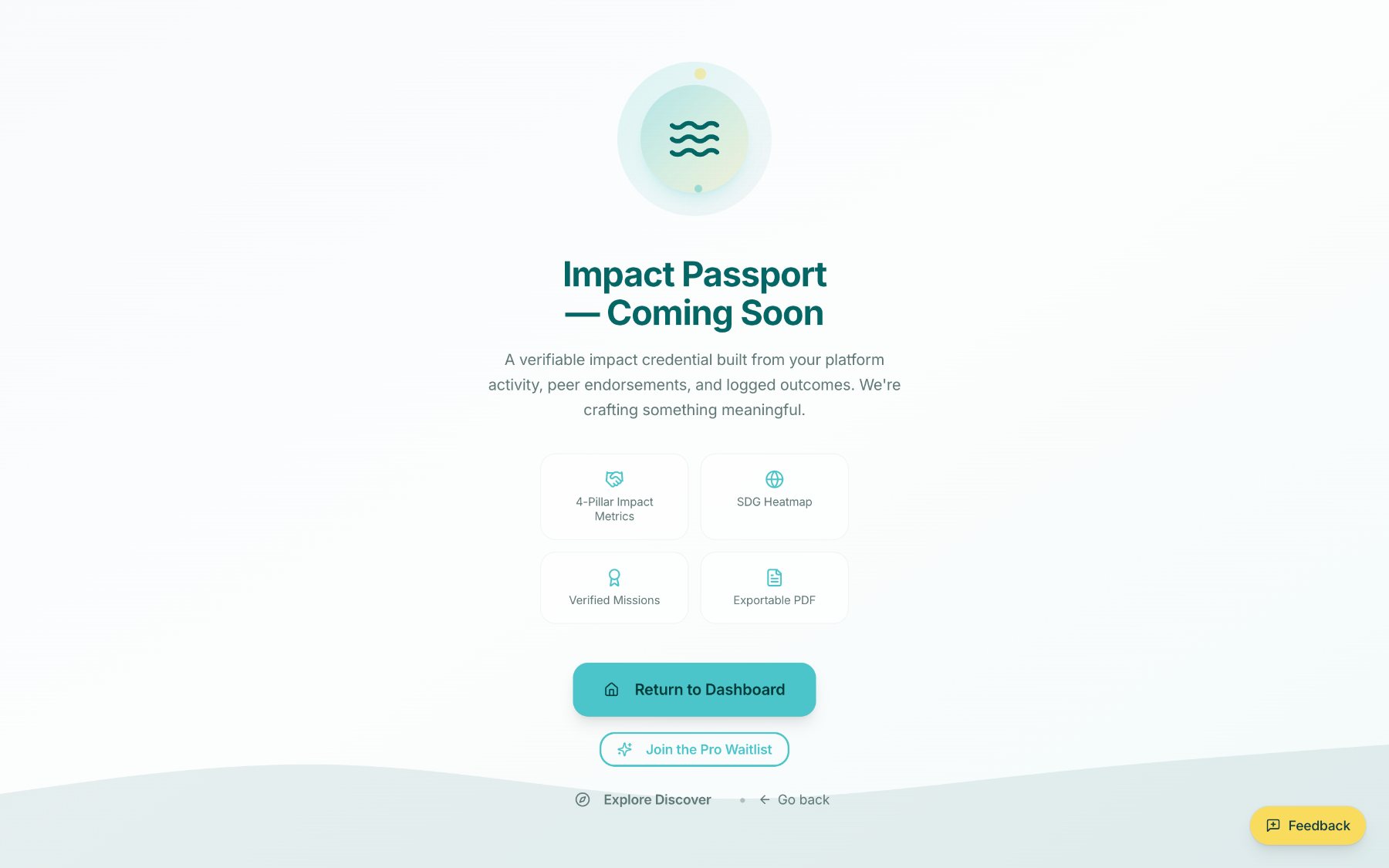
The Impact Passport is named in the product but not yet live, and the screen says so. It will be a verifiable credential built from platform activity, peer endorsements and logged outcomes – credibility that travels with an organisation instead of being rebuilt for every application.
Verification follows the same principle: a single verified state, shown as coming soon rather than implied.
Impact Oasis opens to its first Pioneers on 1 October 2026.
A wider public announcement follows once early use is proven. Everything shown here is the working product, captured in September 2026 – screens will keep changing as pilot partners use them.
The tour above is a walkthrough. If you would like an account on Impact Oasis, or want to talk about what it could do for your organisation, write to hello@impactoasis.app.
Opportunities and events in this walkthrough were sourced by Impact Oasis from publicly available announcements and shared with the community. Impact Oasis does not administer, endorse or represent them, and is not a party to any application or registration – organisers are credited on every listing, and applications are made through the organiser's own channels. Screenshots were captured in September 2026; listings may since have closed or changed. To have a listing amended or removed, write to hello@impactoasis.app.